
Room-scale VR audio tracking uses 6DoF sensors in your headset to monitor position and rotation, updating Head-Related Transfer Functions in real-time so virtual sounds appear to originate from specific 3D locations as you move. I’ll explain that inside-out systems like Oculus Quest sample at 1000Hz using built-in cameras, while external tracking with HTC Vive base stations provides higher precision for audio applications in spaces ranging from 2×1.5 meters to 13.5×13.5 meters. The sections below cover hardware requirements, tracking methods, spatial audio processing, and setup configurations.
Key Takeaways
- Room-scale VR audio uses 6DoF tracking and HRTF technology to create immersive, personalized spatial sound that updates in real-time.
- Inside-out tracking systems offer portable, clutter-free setups while external tracking provides superior precision for professional audio applications.
- Space requirements range from 2×1.5 meters for basic experiences to 13.5×13.5 meters for large-scale multi-user installations.
- Backpack PC systems enable unrestricted movement in larger tracking areas, supporting advanced multi-user scenarios and professional implementations.
- Growing demand for immersive experiences drives innovation in tracking accuracy, system flexibility, and seamless integration of spatial audio technologies.
What Room-Scale VR Audio Tracking Actually Does
Have you ever been in a VR world and felt like the sound was following you? That’s not just a neat trick; it’s all thanks to room-scale VR audio tracking. This tech keeps tabs on where you are in a specific play area and adjusts the sounds around you accordingly. So as you move and turn your head, the audio shifts too, enhancing your experience in a way that feels more natural and immersive.
How does it work? It calculates where sounds are coming from using something called six degrees of freedom (6DoF). This means it tracks both how you rotate your head and the position of your body. The result? When you move, the sound updates in real-time, making you feel like you’re right in the middle of the action.
But it doesn’t stop there. The system also personalizes audio cues based on your listening characteristics. This is done through something called Head-Related Transfer Functions. Think of it like having a custom sound profile just for you, helping you hear directionality in a way that’s totally tailored to your ears.
And there’s more. The environment interacts with the sounds too. When you shift your body within the tracking space, you’ll notice the sounds react as if they’re really placed throughout that space. This creates a connection between how you move and what you hear, making it all feel more alive.
So why does this matter? Well, it makes the virtual experience feel incredibly real. You’re not just looking at a phantom world; the sound gives it life. It’s all about making you feel like you belong in that space.
In short, room-scale VR audio tracking is a way to make your VR experiences truly immersive. If you’re diving into VR, consider how sound plays a massive role in your enjoyment. What’s your favorite VR sound experience so far?
The Hardware You Need: Sensors, Base Stations, and Headsets
Setting up your VR audio tracking system can feel a bit daunting at first, but it boils down to three key pieces of hardware: a headset with audio capabilities, tracking sensors or base stations, and sometimes some extra external gear depending on how you want to set things up. So, where do you start?
Headset Choices
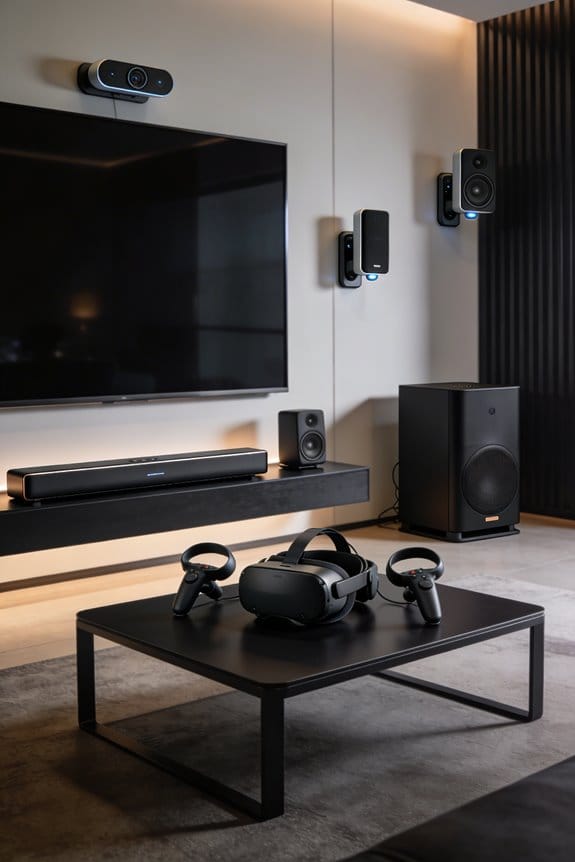
You can choose between two main types of headsets. Inside-out tracking headsets like the Oculus Quest rely on built-in cameras and sensors to map your environment. On the other hand, if you’re leaning towards something like the HTC Vive, you’ll need external base stations set up in your space. Inside-out systems typically sample environmental data at about 1000Hz using a mix of gyroscopes and accelerometers, while external setups use infrared tracking stations placed at opposite corners of your room. So, what’s the right fit for you? Think about your space and how much setup you’re willing to tackle.
Sensor Technologies
When it comes to sensors, you’ve got a few options worth considering. You can install optical tracking cameras around your room for a complete 360-degree coverage, which might sound a bit advanced but can really enhance your experience. Another choice is electromagnetic sensors that create fields for tracking movements. For basic setups, two base stations positioned diagonally in your room should do the trick. However, if you want to go all in, adding a third sensor allows for six degrees of freedom tracking. This means you’ll be able to monitor both rotational and translational movements, which is pretty essential for immersing yourself fully in VR.
Inside-Out vs. External Tracking for Room-Scale Audio
When you think about setting up your room-scale VR audio, you might wonder whether to go for inside-out tracking or stick with external tracking systems. Each has its own way of figuring out where you are in space, and they both have their pros and cons.
Inside-out tracking uses cameras and sensors built right into your headset. This means you won’t have to deal with any extra hardware lying around the room. Headsets like the Oculus Quest and Oculus Rift S are great examples. They combine data from gyroscopes and accelerometers with advanced computer vision to create a seamless experience. On the other hand, external tracking systems like those from HTC Vive rely on sensors placed in the corners of the room. These sensors can track your movements precisely using infrared technology. The setup may be a bit more complex, but the accuracy is often better for tasks that require pinpoint audio positioning.
So, why does this matter? If you’re looking for something hassle-free and portable, inside-out tracking could be your best bet. But if you’re serious about professional audio applications where even small errors in positioning can matter, external sensors might be worth the extra effort.
Here are a few quick points to consider:
- Inside-out tracking offers a simple setup.
- External tracking generally provides more precision.
- Think about your space and whether you want to deal with extra equipment.
Truth is, both systems have their merits, so it really boils down to your specific needs and how much effort you’re ready to put into the setup. Give some thought to what you want from your VR audio experience. Which one sounds like a better fit for you?
How HRTF and Spatial Audio Create 3D Sound
Ever wonder how virtual reality makes it feel like sounds are coming from different directions? It all comes down to something called Head-Related Transfer Function, or HRTF. This tech simulates how our ears, head, and body naturally filter sound waves based on where they’re coming from.
Here’s the trick: HRTF gets personal. It customizes how sound is delivered to suit your unique ear shape and head size. When you’re exploring a VR space, the system tweaks the sound in real-time, providing directional cues that your brain processes as if those sounds are happening right around you.
So, why does this matter? Well, combining HRTF with omnidirectional sound lets audio be projected from all angles. You’ll experience 360-degree spatial awareness, making it easier to pinpoint sounds whether they’re above, below, or even behind you.
The best part? This kind of audio design enhances immersion in VR environments, making your experiences much more engaging. Next time you pop on those VR headsets, pay attention to how sound plays a role in what you feel.
To recap, HRTF technology personalizes audio, creating a lifelike spatial experience in virtual environments. Isn’t that fascinating how sound can shape our perception of space?
Space Requirements: 2×1.5m Setups to 13×13m Playgrounds
Finding the right space for your VR adventures can be a bit tricky. You might wonder, how much room do I actually need? Well, it all depends on what you’re looking to do in virtual reality. For basic experiences where you’re mostly standing still, a 2 meter by 1.5 meter area is the bare minimum. This setup gives you just enough space to move around a bit without bumping into things.
If you’re aiming for something a bit more immersive, like an intermediate setup, the HTC Vive SteamVR can handle spaces up to 10 meters by 10 meters. This expansion allows for standard room-scale applications, giving you more freedom of movement without compromising the experience. Now, if you really want to go big, there are large-scale VR setups that can stretch tracking volumes all the way to 13.5 meters by 13.5 meters—imagine having a whopping 182.25 square meters to play in!
When planning your VR space, keep in mind that space optimization is key. Think about where your furniture is placed, how your sensors will be positioned, and the safety zones you’ll need to set up for everyone involved. This part is crucial, especially in multi-user situations where you might have up to 20 people needing to be tracked at the same time.
So, what’s the best way to manage all that freedom of movement? Many professional installations go the route of backpack PC systems. These can help you move around in those larger tracking areas without feeling tethered.
In short, the size of your VR setup can range significantly depending on your goals. It all boils down to how much you want to engage with the virtual world around you. What kind of experience are you hoping to create?
Frequently Asked Questions
Can Multiple Users Share the Same Room-Scale Audio Tracking Space Simultaneously?
Yes, I can confirm that multiple users share room-scale audio tracking spaces simultaneously. Advanced systems support up to 20 actors with user collaboration features. However, you’ll find omnidirectional sound works better than personalized audio sharing for large audience experiences.
How Does Room-Scale Audio Tracking Integrate With Existing Professional Music Production Software?
I’ll explain audio integration with professional software. Room-scale tracking connects to existing production tools through software compatibility with platforms like Ableton Live, enabling you to compose spatially by translating your physical movements into dynamic sound positioning in real-time.
What Physical Room Modifications Optimize Acoustic Performance for VR Audio Tracking?
I’d recommend installing acoustic treatment panels on walls and ceilings to minimize reflections, plus sound isolation materials like dense foam or mass-loaded vinyl. You’ll also want to seal light gaps and dampen floor vibrations for ideal VR audio tracking performance.
Does Room-Scale Audio Tracking Work for Live Performance and Audience Entertainment Applications?
Yes, I’ve witnessed room-scale audio tracking transforming live events through powerful performer positioning and audience interaction. Professional performers produce dynamic dimensional soundscapes, while large audiences benefit from omnidirectional audio systems that create collective immersive entertainment experiences.
How Many Actors Can Advanced Systems Track at Once in Large Spaces?
Advanced systems can track up to 20 actors simultaneously in large spaces. I’d note that tracking accuracy remains consistent across all users, though actor limitations depend on your specific hardware configuration and available tracking volume size.