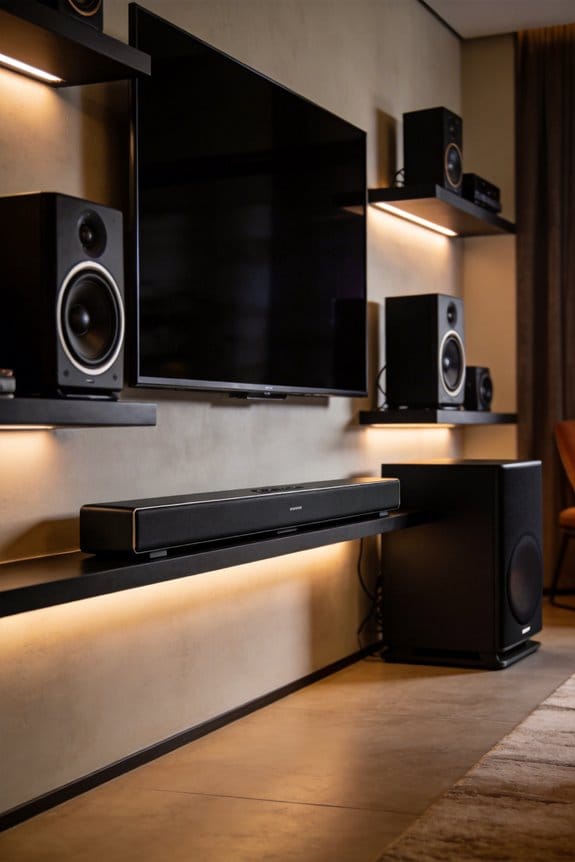

I recommend you cut frequencies between 2kHz and 4kHz by 3-6 dB using your AV receiver’s equalizer, since these mid-range sounds overlap with common tinnitus pitches and increase neural activity in your ears. You should also set a low-pass filter at 11kHz to remove inaudible high frequencies that trigger ringing, keep volume at or below 70 dBA, and take 30-minute silence breaks between films to prevent cumulative sound exposure. The sections below explain calibration tools, bass management, and specific receiver settings that further protect your hearing.
Key Takeaways
- Keep volume at 70 dBA or lower and use a decibel meter app to monitor levels during viewing.
- Cut mid-range frequencies between 2kHz and 4kHz by 3-6 dB using your receiver’s equalizer to reduce tinnitus triggers.
- Apply a low-pass filter set to 11kHz to eliminate inaudible high frequencies that may cause ear irritation.
- Take 30-minute silence breaks between films to prevent cumulative sound exposure and allow auditory system recovery.
- Use room calibration systems and acoustic treatments to eliminate frequency hot spots that create harmful sound spikes.
Safe Home Theater Volume Levels for Tinnitus Sufferers
Are you worried about how loud your home theater system is? If you suffer from tinnitus, it’s crucial to keep the volume in check. Aim for 70 dBA or lower—this level helps protect your ears from more damage. It’s pretty wild how movie theaters crank up the noise to between 74-104 dBA, putting you at higher risk for hearing loss.
To make sure you’re not going overboard, regularly check your volume settings with a smartphone decibel meter app. Just place the meter at your main seating spot, not right next to the speakers, to get a real read on the sound pressure levels.
The best part? Most audio receivers have a volume limiter feature tucked away in the settings. You can set a cap at 70 dBA, which usually falls around -20 to -15 on the display. This way, you won’t accidentally blast your ears with sudden loud noises.
So, why does this matter? Keeping the sound levels down doesn’t just help avoid discomfort; it can make your movie-watching experience a lot more enjoyable in the long run.
Why Movie Marathons Spike Your Tinnitus Worse Than Single Films

Have you ever noticed how binge-watching movies can leave your ears ringing? It’s not just you. While one film at your usual volume might feel just fine, diving into a movie marathon can really crank up those tinnitus symptoms. Why is that?
When you watch back-to-back films, the sound exposure starts to stack up, intensifying your tinnitus far more than you’d feel from just one movie. Even if the audio levels are safe—around 70 dBA—they can still set off a “winding” effect. This means with each hour of sound exposure, your tinnitus can worsen a bit more, and by the end, you might be feeling it strong.
During these marathon sessions, your ears get hit with nonstop stimulation. They don’t get any downtime to recover between films, which can lead to some pretty uncomfortable spikes in intensity that might last for hours or even days afterward. Here’s the trick to avoid this: take a break. A solid 30-minute silence between films gives your auditory system a chance to reset. This simple pause helps your ears stabilize before you jump back into another cinematic adventure.
So, why does this matter? It’s all about keeping your ears happy while enjoying your favorite flicks. Sure, it can be tough to step away from the action, but your hearing health is worth the extra minutes.
How Bass and Mid-Range Frequencies Affect Your Ringing

You’ve probably noticed how your ears feel after a long binge-watching session, but did you ever think about what kind of sounds you’re dealing with? The type of sound frequencies can be just as important as how long you’re exposed to them.
Let’s dive into bass frequencies first. They can really affect how you experience tinnitus, and this varies from person to person. Those deep, rumbling sounds below 250 Hz might escalate your ringing, sometimes for hours or even days. Think about all those low-end thumps during movie scenes—Subwoofers cranking out explosions can pump a lot of energy into that troublesome range.
Now, how about mid-range frequencies? This is where things get interesting. Sounds between 2kHz and 4kHz overlap with pitches many people hear in their tinnitus. A lot of the stuff you listen to, like dialogue and sound effects, falls into this category. While these frequencies can sometimes mask your tinnitus temporarily, there’s a catch. Chronic exposure might leave you feeling “wound up.” When played around 70 dB SPL, your brain kicks into high gear—boosting neural activity without even causing hearing loss.
So, why does this matter? If you’re someone who deals with tinnitus, understanding how different sound frequencies impact your experience can make a difference.
To wrap it all up: It’s not just about how long you’re watching or listening—what you’re hearing plays a crucial role too. Next time you’re tuning in, think about the sound levels and types of frequencies involved. Have you made any changes to your viewing habits because of this?
Set Your EQ to Cut Tinnitus-Triggering Frequencies
Do you ever feel that annoying ringing in your ears? It’s a frustrating experience many face, especially if you have tinnitus. The good news? You can take control of this situation by adjusting your sound settings to help ease those high-pitched noises.
Try this: most AV receivers come with built-in equalizer (EQ) options tucked away in the audio menu—usually under setup or sound settings. If your tinnitus falls between 2kHz and 12kHz, cutting those frequencies by about 3-6 dB can make a real difference. This technique reflects what’s used in sound therapy programs.
Start by focusing on the specific frequencies where your tinnitus hits hardest. Once you’ve made those cuts, you can always widen the range if needed. Don’t forget—keeping the volume down is key. It helps you avoid the trap of cranking up the sound to compensate.
So, why does this matter? Unlike masking techniques that just cover up the noise, you’re actively eliminating the triggers. This can prevent that dreadful winding effect that often exacerbates reactive tinnitus over time.
Honestly, making these tweaks might just help you find a little peace. If you’ve been struggling with tinnitus, taking these steps could lead to a more comfortable listening experience. Have you tried adjusting your EQ settings yet?
Should You Use a Low-Pass Filter on Your Home Theater?
Have you ever found yourself cranking up the volume during a movie only to be bombarded by the harshness of bright, high-pitched sounds? If that sounds familiar, you might want to think about using a low-pass filter on your home theater system. This nifty tool lets you cut off all frequencies above a certain point, specifically targeting those pesky sounds that aren’t really adding to your experience.
So, what’s the big deal with a low-pass filter? Here are a few reasons to consider it:
- Smoother Sound: It eliminates high-frequency content over 10-11kHz that most listeners, including you, probably can’t even hear.
- Ear Protection: High-frequency sounds can sometimes trigger reactive tinnitus, so by filtering these out, you’re taking care of your ears.
- Cleaner Audio: Research has found that frequencies above this range can make music and dialogue sound jumbled or unrecognizable. By filtering them, you won’t miss out on any audio quality you actually care about.
Most everyday sounds—like those typical noises in your living room—stay below 4kHz anyway, so you’re really not missing anything crucial. To make this adjustment, simply access your receiver’s audio settings menu and set the low-pass filter to 11kHz. It’s an easy, quick fix.
The best part is that this simple tweak doesn’t sacrifice your listening experience, especially when you’re in for a long movie marathon. You get to enjoy your films without the distraction of irritating high frequencies that can detract from the story.
How Long You Can Safely Watch (and When to Take Breaks)
Have you ever been engrossed in a show or movie, only to realize hours have passed and your ears are ringing? It’s an all-too-common situation, but managing your sound exposure can make a big difference for your hearing and those pesky tinnitus symptoms.
To help you protect your ears, here are some simple guidelines: Limit your viewing sessions to 90 minutes when the sound levels creep above 70 dBA. This helps avoid that annoying buildup of sound that can worsen tinnitus over the day. If you’re sitting down for a binge-watch, make sure to take 15-minute breaks in total silence or a quiet space. Think of it as a reset for your ears, similar to how a good night’s sleep clears out the noise from the day.
Keep an eye on your volume settings. Playing sound at or below 70 dBA means you can watch as much as you like without worrying about damage. But if you love cranking the volume up, just remember to cut back on the watching time—the higher the volume, like 85 dBA, the less time you should be exposed to that sound.
So, why does this matter? It’s about giving your ears the care they deserve while still enjoying your favorite shows. Truth is, taking these little steps helps maintain your hearing health and keeps that ringing at bay.
In a nutshell, be mindful of your viewing habits, and don’t underestimate those breaks. How do you plan to give your ears a little TLC during your next binge session?
Does Room Calibration Reduce Tinnitus Risk?
Have you ever cranked up the volume on your home theater system, only to notice it sounds too loud or even painful in certain spots? This might be due to something called “hot spots” – areas in your room where sound frequencies spike and can potentially harm your hearing. That’s where room calibration comes in.
By using systems like Audyssey, Dirac Live, or YPAO, you can measure speaker output at different listening spots in your room. These systems make adjustments to balance the frequency response, ensuring that no sounds go beyond safe levels. It helps to keep those rumbling bass frequencies from piling up in the corners and high frequencies from bouncing off walls. When unchecked, these spikes can push sound pressure way beyond the 85 dBA mark without you even realizing it.
The best part is, room calibration isn’t the only trick up your sleeve. Combine it with some acoustic treatment for even better results. Here’s how:
- Bass traps in the corners can help absorb those low-frequency buildups that create unwanted noise.
- Absorption panels on your walls are great for managing reflections that can make the sound feel chaotic.
- Diffusers can be placed to scatter sound evenly, offering a more pleasant listening experience.
Putting these methods together will help you maintain consistent, safe volume levels in your space.
So, why does this matter? Well, aside from enjoying a better movie night, protecting your ears is crucial. You don’t want to be at risk for tinnitus or other hearing issues just because of a faulty setup.
In short, take the time to calibrate your home theater and consider acoustic treatments. It’s worth it for both your experience and your hearing health. What steps will you take to improve your sound environment today?
Frequently Asked Questions
Can High-Frequency Sound Therapy Help Reactive Tinnitus Triggered by Movie Soundtracks?
High-frequency sound therapy’s effectiveness for your reactive tinnitus triggered by movies remains uncertain. While it reduces symptoms during exposure, I’m concerned it won’t address your sound sensitivity to everyday triggers or prevent the cumulative winding effect movies cause.
Does Sleeping After Home Theater Sessions Reset Cumulative Tinnitus Winding Effects?
Sleep acts like a reset button for your brain’s noise filter. I’ve found that quality rest often reverses cumulative tinnitus winding, allowing recovery from home theater sessions—though prolonged reactions may persist beyond one night’s healing slumber.
Should I Use Bilateral Speakers or Headphones for Safer Tinnitus Management?
I’d recommend bilateral speakers over headphones for your tinnitus management. Speakers provide better audio isolation from direct ear canal exposure and make monitoring sound level easier, helping prevent abnormal central auditory changes while reducing cumulative exposure risks.
Can Extending Speaker Bandwidth Past My Tinnitus Pitch Reduce Ringing Intensity?
I don’t recommend extending speaker calibration bandwidth past your tinnitus pitch—research shows it won’t reduce your ringing. Instead, I’d focus sound masking within frequencies matching your tinnitus for better relief during home theater use.
Will Anxiety From Trigger Avoidance Worsen My Home Theater Tinnitus Reactions?
Ironically, avoiding triggers creates the anxiety that intensifies reactions. I’ve found that gradual exposure with proper anxiety management actually reduces sound sensitivity over time, while avoidance behaviors amplify your home theater tinnitus through fear-based conditioning.