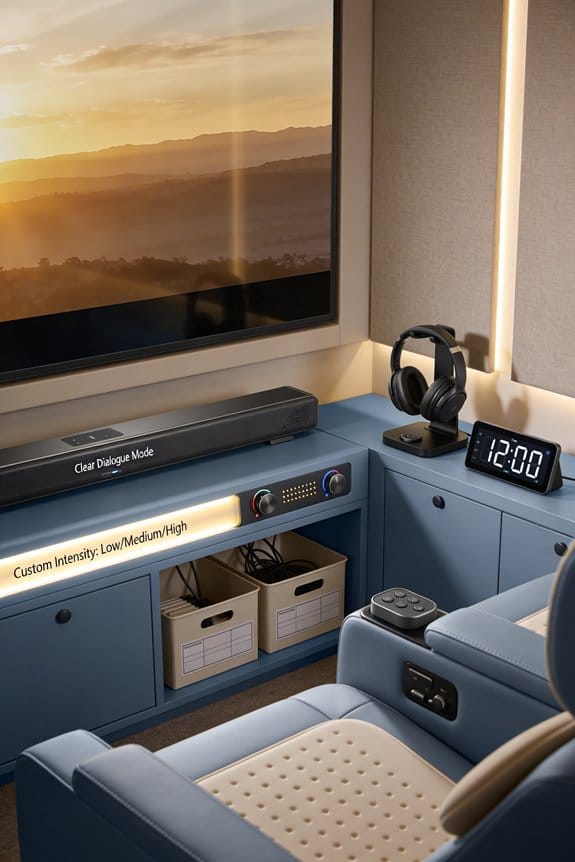

Entry-level soundbars have evolved from basic treble boosts into sophisticated processors using multi-band compression, adaptive EQ curves, and real-time frequency isolation to enhance dialogue clarity in the 200Hz-3kHz range. Modern budget models under $300 now feature dedicated center channel modes like “Voice Enhance” or “Dialog Mode,” DSP algorithms that balance subwoofer bass with midrange vocals, and brand-specific technologies such as Bose’s TrueSpace processing, Samsung’s Active Voice Amplifier, and Vizio’s DTS Virtual:X with Voice Adjust control. I’ll explain how these specific features compare across manufacturers and which settings optimize voice clarity for your setup.
Key Takeaways
- Entry-level soundbars use DSP algorithms targeting 200Hz-3kHz frequencies to enhance dialogue clarity while reducing bass and treble interference.
- Budget models feature activated center channel modes like “Voice Enhance” or “Dialog Mode” focusing on 300Hz-3kHz for clearer speech.
- Modern vocal boost technology uses auto-calibration to measure room acoustics and adjust EQ curves emphasizing midrange vocal frequencies.
- Brands employ proprietary algorithms: Bose’s TrueSpace, Samsung’s Active Voice Amplifier, and Vizio’s Voice Adjust for adaptive dialogue enhancement.
- Future vocal boost innovations aim to automatically address clarity issues without manual tuning, advancing beyond current algorithm limitations.
Why TV Dialogue Sounds Muddy and What Soundbars Fix
Have you ever struggled to hear the dialogue on your flat-screen TV? You’re not alone. Modern TVs, with their sleek designs, often come with a serious drawback: they just can’t produce clear sound, especially when it comes to voices.
What’s the deal? Typically, these TVs are only 1-2 inches deep, which means there’s barely any room for decent speakers. Without the proper driver sizes, you end up with distorted sound, particularly when you’re watching movies or streaming shows where voices have to compete with background music and sound effects.
Here’s a key point: TV speakers miss out on dedicated midrange drivers. This is a big problem because human speech hangs out in the 200Hz-3kHz frequency range, and if the speaker can’t hit those notes, you’re left straining to understand what’s being said. Add in the ambient noise from the soundtrack, and suddenly you’re guessing the plot instead of enjoying it.
So, what can you do? Soundbars might be the solution you need! They typically include dedicated center channel speakers along with smart tech that helps isolate and amplify the voices. With their larger cabinet sizes—around 2-4 inches high—soundbars can fit properly sized drivers. That means better sound quality and a clearer dialogue experience.
What’s the best part? You don’t just get better dialogue; you also get an overall improved listening experience. You’ll actually be able to differentiate between the dialogue and background sounds, making for a more enjoyable time watching your favorite shows.
In short, if this sounds like a familiar problem for you, consider investing in a soundbar. It might just make your TV time a whole lot easier and more enjoyable. Have you noticed your TV’s audio lacking? What steps are you planning to take to fix it?
What Vocal Boost Actually Does in Entry-Level Soundbars
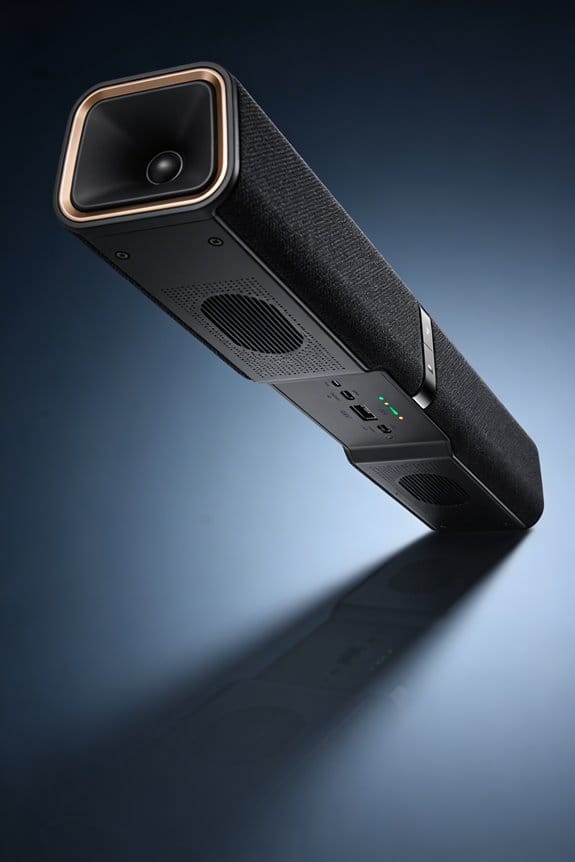
Have you ever turned on your soundbar only to struggle to hear the dialogue? That can be so frustrating. If you’re using an entry-level soundbar, activating vocal boost can really help make speech stand out. Here’s how it works.
When you switch on the vocal boost feature, it targets a specific frequency range where human voices live, around 200Hz to 3kHz. The soundbar’s processor lowers the volume of bass sounds below 150Hz and high treble above 4kHz. This separation makes it easier to hear the dialogue without being drowned out by background noise or music.
The technology behind this is pretty neat. It involves compression algorithms that lift the volume on softer speaking while keeping louder peaks in check. This means you get a more consistent listening experience, even when characters are speaking at different volumes.
Here’s the trick: pay attention to those midrange frequencies, typically between 300Hz and 2.5kHz. This is where consonants and vowels become clearer, enhancing the overall intelligibility of the dialogue. Plus, the soundbar applies phase correction to the center channel, which pushes the voices forward in the soundstage, making it sound like the characters are right in the room with you.
If you’re wondering about options, entry-level models often come with three levels of vocal boost: low, medium, and high. Each setting increases the midrange by 3dB, 6dB, or 9dB, depending on how much clarity you need.
So, why does this matter? Because enjoying your favorite shows shouldn’t be a struggle. Next time you’re watching, give that vocal boost a try; it might just change your viewing experience.
In short, enhancing dialogue on your soundbar can make a huge difference. Have you tried using vocal boost yet?
Midrange Drivers vs. Tweeters: Which Handles Dialogue Best?
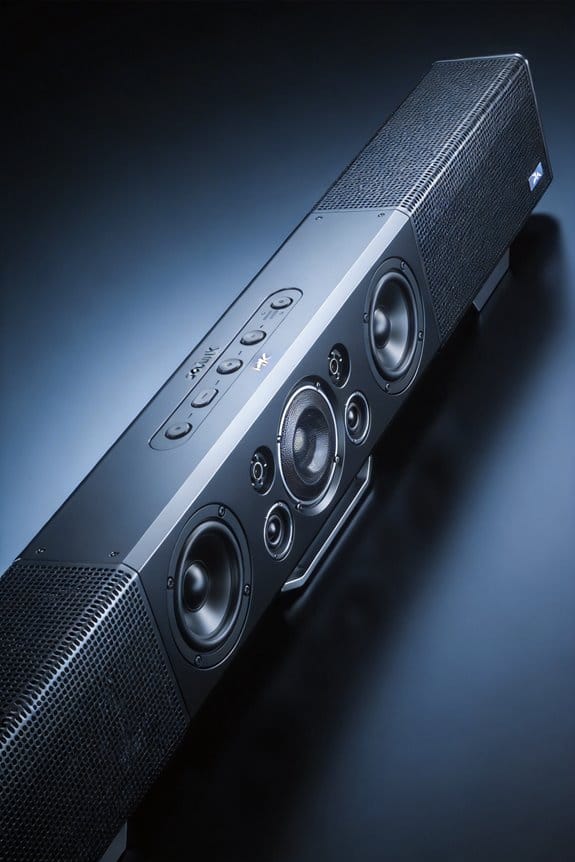
Have you ever turned on a movie only to struggle with the dialogue? It’s frustrating when you can’t catch what characters are saying over the background music or sound effects. One solution you might consider is investing in an entry-level soundbar. They come with some smart tech that helps balance the audio for you.
These soundbars use DSP algorithms, which sounds fancy, but basically, they make sure midrange drivers handle the weight of the dialogue while tweeters crank up the clarity. It’s like having the best of both worlds. You don’t just hear the words clearly; you also get that crisping detail that pulls you deeper into the story.
Here’s the trick: Look for soundbars that explicitly mention midrange and tweeter features. You want those midrange drivers to give the dialogue some punch, and the tweeters will help present it in a clearer light.
So, why does this matter? It’s all about creating a more immersive experience. Whether you’re watching an action-packed blockbuster or a quiet drama, you’ll want to catch every line without having to adjust the volume all the time.
In short, getting the right soundbar can make your movie nights much more enjoyable. Have you found a sound setup that works wonders for you?
Center Channel Modes in Stereo Soundbars Under $300
If you’ve ever found yourself straining to hear dialogue in movies or shows, you’re not alone. It can be frustrating to deal with sound that just seems to drown out the conversations. Thankfully, budget-friendly soundbars under $300 often come packed with features designed to help you enjoy clear dialogue.
These soundbars typically include a center channel mode that helps isolate and amplify what people are saying. You can easily activate this feature using your remote or an app that works with your soundbar. By enhancing the frequency response in the vocal range—generally between 300Hz and 3kHz—these devices make it easier to catch every line of dialogue without too much hassle.
What’s great is that this “Voice Enhance,” “Clear Voice,” or “Dialog Mode” feature is straightforward to find in the settings menu of your soundbar. Instead of needing separate speakers like higher-end systems, these entry-level soundbars rely on digital signal processing (DSP) algorithms. This not only keeps costs down but also makes set-up easy, since you don’t have to deal with extra hardware or complicated installations.
So, how does it work? By temporarily reducing stereo separation, the center channel mode focuses more on clarity, allowing you to hear spoken words more clearly without losing the overall audio experience. It’s a clever way to prioritize conversation over complex sound effects without breaking the bank.
If you’re struggling with dialogue clarity, give one of these soundbars a shot. They may just provide the boost you need for a more enjoyable viewing experience. After all, it’s all about making sure you don’t miss those crucial lines! Have you tried any soundbars with this feature yet?
Dolby Atmos on a Budget: Does It Improve Voice Clarity?
How does Dolby Atmos technology really affect voice clarity in budget soundbars priced under $300? If you’re looking to improve your home audio without breaking the bank, this is a common question. When it comes to these budget-friendly options, many soundbars with Atmos support rely on proprietary upmixing algorithms to create the illusion of height. This approach indirectly helps with dialogue separation, so you can hear conversations more clearly.
Since 2021, brands like Samsung and LG have been putting Dolby Atmos into their entry-level models, even those lacking physical up-firing speakers. Instead of real height channels, they use Digital Signal Processing (DSP) to simulate sound placement. This is pretty interesting, right?
So, how does this tech enhance voice clarity? It positions dialogue in a separate vertical layer, meaning you’ll hear voices apart from background effects and music. You’ll likely notice clearer conversations while watching movies, thanks to how the soundbar processes Atmos metadata to route vocal frequencies through dedicated midrange drivers. Keep in mind, though, that while these budget soundbars can help a lot, they can’t fully replicate that true overhead sound you’d get from high-end models equipped with actual height channels.
Truth is, the improvement in voice clarity is moderate compared to traditional center channel sound processing. But if you’re after a budget solution that still gives you a step up in audio quality, these soundbars can be a decent choice.
Calibration vs. Dialogue Enhancement Presets: Which to Use?
Have you ever struggled to hear conversations in movies or shows, even when the sound is cranked up? If you’re relying on a budget Atmos soundbar, there’s good news. You can make sure it delivers clear dialogue, and I’m here to help you figure out how to set it up right.
First off, if your soundbar has auto-calibration, definitely start there. This nifty feature uses a microphone to measure the acoustics in your room and adjusts the sound settings automatically. You might not realize it, but this can really improve the balance of frequencies, making voices clearer since it fine-tunes the midrange where speech lives.
But don’t stop there! Dialogue enhancement presets are another great option to consider. These presets apply EQ curves designed specifically to boost the center channel’s output, which makes dialogues pop while reducing distracting bass. Honestly, this can make a world of difference, especially during crucial speech scenes.
So, here’s a trick: try testing both the auto-calibration and the dialogue enhancement presets. Pick a couple of news broadcasts or movie scenes and see which one works better for you. Many affordable models from brands like Samsung, LG, and Bose have dedicated voice modes. These modes do things like compress dynamic range too, which can make that soft-spoken character much easier to hear without having to adjust the volume constantly.
In short, you’ve got some solid options for improving dialogue clarity with your Atmos soundbar. Why not take the time to experiment with these settings? You might just find the perfect balance that enhances your viewing experience.
Bose vs. Samsung vs. Vizio: Vocal Boost Head-to-Head
When it comes to watching your favorite shows or movies, ever found yourself straining to hear the dialogue? You’re not alone! Many folks struggle with unclear sound, especially during tense scenes. Let’s take a closer look at how three leading brands—Bose, Samsung, and Vizio—enhance vocal clarity without breaking the bank.
Bose tackles this with its TrueSpace processing and dedicated center channel drivers. They specifically target the vocal frequencies between 300Hz and 3kHz, which is where most speech hangs out. In the settings, just head to Audio > Voice Enhancement. This option kicks in compression and boosts those speech sounds so you can catch every word without cranking up the volume.
Meanwhile, Samsung brings something interesting to the table with its Active Voice Amplifier. This tech analyzes the background noise and adjusts the dialogue accordingly. To give it a go, dive into Sound Settings > Sound Mode > Adaptive Sound. You’ll notice how it adapts in real-time based on what you’re watching, making voices stand out amidst all the other sounds.
On the other hand, Vizio offers its own unique solution with DTS Virtual:X processing. They also feature a Voice Adjust control that you can find by clicking Remote > Menu > Audio > Voice. What’s great about this is that it puts more emphasis on mid-range frequencies without overly compressing the sound. This means you can enjoy clearer dialogue while retaining that natural tone.
Wireless Subwoofers and Voice Balance in 2026 Models
When you’re trying to enjoy an action-packed movie, do you ever find the bass drowning out the dialogue? It’s a common issue with soundbars, especially when subwoofers kick in during intense scenes. But if you’re looking at 2026 soundbar models, you’ll see they’ve made some smart moves to tackle this problem.
Modern soundbars now come with advanced DSP algorithms that help balance low-frequency sound and midrange vocals. This way, you won’t have to crank up the volume or try to strain to hear what characters are saying. Plus, wireless integration between the soundbar and the subwoofer is usually done through 5.8GHz or dedicated RF connections. This means you can say goodbye to the annoying delays that used to come with Bluetooth.
So, how do you fine-tune the voice balance? It’s not as complicated as you might think. Most soundbars have dedicated center channel controls in the sound settings menu, listed under options like “Voice Enhancement” or “Clear Voice.” Here’s the trick: many 2026 models even let you control the voice levels with Alexa or Google Assistant, which is super handy if you want to make quick adjustments without fumbling around.
You can also access your soundbar’s EQ settings and try lowering the subwoofer output by 2-3dB increments. Testing with dialogue-heavy content, like a drama or sitcom, will help you find that sweet spot for balance. Truth is, sound quality can make or break your viewing experience, so it’s worth taking the time to get it right.
To sum it up, balancing vocal clarity while managing bass in your soundbar setup is totally achievable. The key is to explore the settings and adjust to your liking. What’s your go-to setup for movie nights?
TV-Soundbar Sync Features That Sharpen Dialogue Frequencies
Have you ever struggled to hear the dialogue in your favorite show because the TV and soundbar were out of sync? It’s a common problem that can make characters sound muffled or even delayed. Thankfully, systems like Samsung’s Q-Symphony 3.0 and LG’s WOW Orchestra can fix this issue for you. They work together to align your TV speakers and soundbar, enhancing the vocal ranges where human speech typically falls.
Here’s the trick: when you activate the TV-soundbar sync in your audio settings, the soundbar gets these precise timing signals right from your TV. This setup lets the sound optimization algorithms kick in, boosting the midrange frequencies crucial for clear dialogue. Your TV handles the center-channel vocals, while the soundbar brings in the bass and surround sound effects. The result? You’ll enjoy crisp consonants and better speech clarity without any annoying echo or lag.
So, why does this matter? Well, when you can clearly hear what’s being said, it transforms your viewing experience. No more rewinding to catch missed lines; you won’t have to strain to understand the plot twists.
Truth is, these advanced sync features can really make a difference, especially during those intense scenes where every word counts. Having your sound system set up for optimal audio can also be a real game changer when you’re watching movies or catching up on shows.
In a nutshell, tweaking your TV and soundbar settings can lead to a significant upgrade in sound clarity. Have you considered giving it a try?
Testing Dialogue Clarity Before You Buy: What to Listen For
How frustrating is it when you’re watching a movie or a show and can’t figure out what people are saying? If you’ve just set up your new TV with a soundbar, you’ll definitely want to make sure dialogue sounds crisp and clear before deciding on your purchase.
Try this: dive into some dialogue-heavy content. News broadcasts or your favorite drama series work great for this. Checking out the vocal boost mode can really help you see how well the soundbar isolates midrange frequencies, which is key for understanding spoken words.
Now, it’s smart to play scenes that feature overlapping conversations or background music. You want to test whether voices stick out enough to be understood when there’s a lot going on. So, why does this matter? Because performance in a controlled setting doesn’t always line up with your living room. Make sure to check out user reviews; they often share insights about how the soundbar performs in everyday situations.
Listen closely for any annoying sibilance or muffled consonants—it’s a red flag that the algorithms behind the sound might need a little fine-tuning. The best part is, you’ll really want to compare a few models using the same content. This is the best way to spot which soundbar delivers the most natural dialogue sound.
In the end, it’s all about finding the right balance for your space. Don’t settle; keep testing until you get that clear dialogue experience you look forward to. What will you watch first once you get the perfect setup?
Frequently Asked Questions
Can Vocal Boost Technology Damage Dialogue Quality at High Volumes?
I’ve found that vocal boost technology can distort dialogue quality at high volumes. When you push volume levels too far, the enhanced midrange frequencies become harsh and fatiguing, compromising the vocal clarity it’s designed to improve.
Do Streaming Services Compress Dialogue Frequencies Differently Than Blu-Ray Sources?
I’ve noticed streaming codecs compress dialogue frequencies *dramatically* more than Blu-ray sources. Streaming services apply aggressive frequency modulation to reduce bandwidth, while Blu-ray preserves the original audio spectrum with minimal compression, maintaining superior dialogue clarity throughout.
Will Vocal Boost Work With Older TVS Using Optical Connections?
Yes, I can confirm vocal boost works perfectly with older TVs through optical connections. There aren’t any optical compatibility issues since the DSP processing happens inside the soundbar itself, not the TV, eliminating soundbar limitations concerns.
Can Room Size Affect How Well Vocal Boost Algorithms Perform?
I’d say yes, absolutely—room acoustics dramatically impact vocal clarity like echoes drowning whispers. I’ve found that speaker placement matters tremendously; larger rooms diffuse sound waves more, potentially weakening dialogue enhancement even with advanced DSP algorithms optimizing frequencies.
Do Wireless Soundbars Have More Dialogue Delay Than Wired Models?
Wireless soundbars can experience slightly more dialogue delay than wired models due to latency issues with Bluetooth or Wi-Fi transmission. However, I’ve found modern codecs like aptX Low Latency minimize this gap, maintaining excellent sound quality.