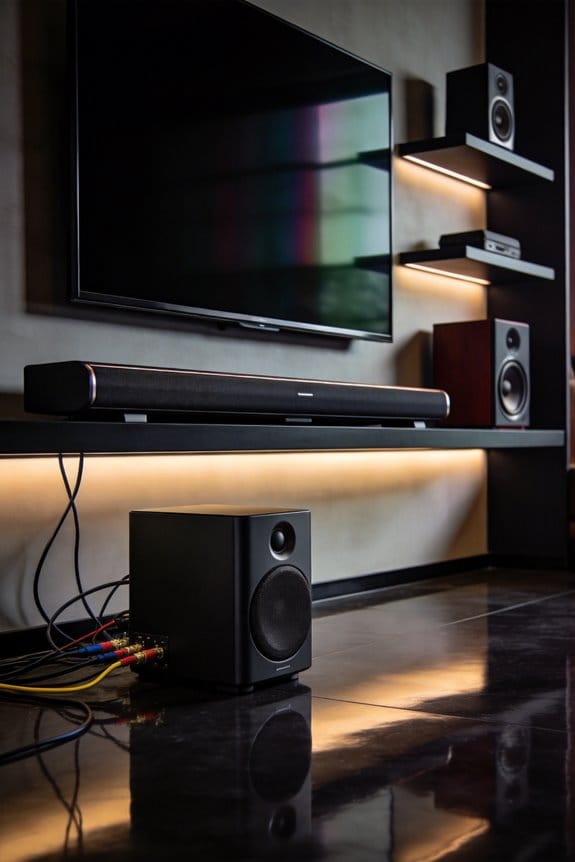

I’ve found that Toslink optical cables handle basic surround sound formats like Dolby Digital and DTS well, but they can’t transmit advanced formats such as Dolby Atmos, DTS:X, or uncompressed multichannel audio due to their 6.144 Mbps bandwidth limitation. Unlike HDMI, which carries both audio and video in one cable, Toslink requires separate video connections, potentially causing lip-sync issues. The fiber cores are also fragile and experience signal degradation beyond 10 meters, though they resist electromagnetic interference effectively. The sections below explain when optical connections make sense for your setup.
Key Takeaways
- Toslink cannot transmit advanced audio formats like Dolby Atmos, DTS:X, or uncompressed multichannel audio that HDMI supports.
- Maximum bandwidth of 125 Mbps severely limits Toslink compared to HDMI’s capacity for high-resolution audio and video transmission.
- Toslink requires separate video cables, creating potential audio-video sync issues that HDMI’s single-cable solution avoids.
- Fiber optic cores are fragile, requiring careful handling and limiting effective cable length to approximately 10 meters without signal degradation.
- Toslink restricts audio to compressed formats and stereo PCM, inadequate for modern high-end home theater systems.
Toslink Optical Cable Capabilities: What Works and What Doesn’t
When figuring out if a Toslink optical cable is right for your audio setup, think about the audio formats you actually need and how this cable stacks up.
Toslink advantages** include solid support for common formats like Dolby Digital and DTS**. These work well with most home theater receivers, allowing you to enjoy a great sound experience. Plus, the cable can transmit up to 2 channels of PCM audio, and it does this without picking up any electromagnetic interference. This means you can get clean, crisp audio even in homes filled with electronic gadgets.
However, Toslink limitations** kick in when you want to step up your sound game. You can’t send higher-end formats like Dolby Digital Plus, Dolby TrueHD, DTS-HD Master Audio, Dolby Atmos, or DTS:X through this connection. So, if you’re hoping for uncompressed 7.1 multichannel audio or lossless formats that need more bandwidth, you’ll find yourself out of luck with Toslink. Why does this matter? If you’ve invested in a top-tier audio system or you’re a big fan of high-quality sound**, these limitations can hold you back.
To wrap it up, while Toslink optical cables can be great for simpler setups and standard formats, they’ve definitely got their boundaries. If you’re in the market for advanced audio experiences, it might be worth looking into other options. What’s your priority when it comes to sound: is it quality or convenience?
Why Toslink Can’t Handle Dolby Atmos or DTS:X Formats
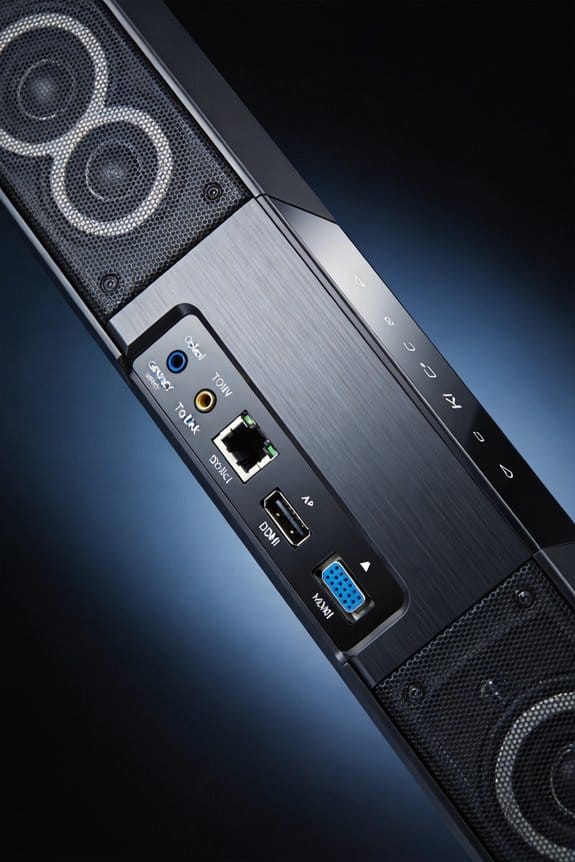
Ever tried to enjoy a movie with surround sound but felt like something was missing? If you’re into Dolby Atmos or DTS:X audio formats, you might’ve hit a wall with Toslink optical cables.
Here’s the deal: Dolby Atmos and DTS:X use a type of audio tech called object-based audio. This means they send individual sounds that can move anywhere in a 3D space, not just through fixed audio channels. That’s a whole lot more information than what typical surround sound systems offer, which only deal with straight 5.1 or 7.1 channels.
So, why does this matter? Toslink cables max out at 6.144 Mbps, and that’s simply not enough bandwidth for the complex data these advanced formats need. They require not just the audio itself but also metadata for all that additional audio direction and height channels. With traditional channel setups, you get straightforward audio, but with Atmos and DTS:X, you’re dealing with significantly larger audio loads.
If you want that rich, immersive experience, you’ll need to grab an HDMI eARC or HDMI ARC connection instead. Toslink can’t handle that intricate spatial information, so you’ll miss out on the full effect if you stick with it.
In short, if you’re looking to elevate your home theater game, consider making the switch to HDMI. It’ll totally enhance your sound experience. What’s stopping you from trying it out?
Bandwidth Bottleneck: Toslink vs HDMI for Surround Sound

Are you struggling to get the most out of your surround sound system? If you’re still using a Toslink optical cable for your audio setup, you might be hitting a wall when it comes to performance. Toslink can handle basic surround sound, but it’s not cutting it for higher fidelity audio.
Here’s the deal: Toslink’s bandwidth is capped at about 125 megabits per second. This basically means you’re limited to compressed surround sound formats. Want to enjoy uncompressed 7.1 surround sound? Forget about it. With Toslink, you’re restricted to stereo because it can’t carry that much data. On the other hand, HDMI is where it’s at. It can handle way more bandwidth, letting you stream both high-quality audio and video without any compression issues.
So, why does this matter? When it comes to data rates, HDMI shines. It supports uncompressed multichannel audio along with 4K video, which is essential for those modern audio formats that require heavy lifting—think immersive multi-speaker setups.
Don’t settle for less in your home theater experience. If you want the full surround sound effect that makes movies feel like you’re in the middle of action, an HDMI connection is your best bet.
In short, if you’re serious about your audio, ditch the Toslink. It simply can’t compete with HDMI, especially when you’re looking for high-resolution sound. Ask yourself, is it time to upgrade for better quality?
Video Transmission Gap: Why Toslink Requires Separate Cables
Setting up a home theater system can feel overwhelming, especially when it comes to wiring everything up. Have you ever found yourself confused about how to connect your audio and video components? If you’re using Toslink optical cables for sound, you’ll need to add an extra cable for video—either HDMI or component. This means dealing with a dual-cable setup that can complicate your installation and make cable management a headache.
So, why does this matter? The issue lies in Toslink’s design. It’s built to transmit only audio signals through light pulses, so it can’t handle video data. That means you have to run a separate cable between your source device and your display, which can lead to frustrating audio-video sync problems. Sometimes, when devices process signals at different speeds, you might notice your sound isn’t quite matched up with the picture—definitely not ideal for your movie night!
Managing two cables can also add to your costs and make troubleshooting any issues tougher. When something goes wrong, you’re left trying to figure out which cable is at fault. In contrast, HDMI carries both audio and video through one simple connection, which streamlines everything.
Honestly, if you’re looking to set up a hassle-free home theater experience, consider using HDMI from the start. It could save you time and frustration in the long run. Just think about it: would you rather deal with multiple cables and potential sync issues, or keep it simple with one?
Sync Issues Between Optical Audio and Video Connections
Ever notice how the sound doesn’t always match the picture when you’re watching TV? It can be super frustrating when you’re watching your favorite show but the dialogue doesn’t line up with the actors’ lip movements. This usually happens when you’re using separate cables for your optical audio and video. Since the signals are taking different routes and processing at different speeds, it can lead to those annoying lip-sync issues.
So, what can you do about it? Luckily, there are several ways to tackle these sync problems. First off, dive into your TV’s audio settings menu. Look for options like “Audio Delay” or “Lip Sync.” These features let you fine-tune the audio timing in milliseconds, so you can get that dialogue back in sync with the action on the screen. Some AV receivers even have automatic calibration features. These systems can measure distances and processing delays to apply corrections automatically. Just keep in mind, if you switch devices, add new components, or update firmware, you might need to tweak those settings again.
Honestly, the process can be a bit more of a hassle than using HDMI connections, which typically handle everything in one cable. But if you’re determined to stick with your optical setup, these solutions should help improve your viewing experience.
In short, don’t let sync issues ruin your entertainment. Have you tried adjusting the settings on your TV or AV receiver yet?
Fragile Fiber Cores: Installation Risks With Toslink Cables
Are you setting up a home theater or audio system? If you’re thinking about using Toslink optical cables, there are a couple of important things to keep in mind. These cables might look sleek, but they can be a bit tricky when it comes to installation.
First off, let’s talk about those fragile fiber cores. Unlike good ol’ copper wires that you can bend and twist without a second thought, Toslink cables are made of glass or plastic fibers that can break easily. This means you need to be extra careful when you’re handling them to avoid a costly mistake.
Here are a few handling precautions to make your life easier:
- Avoid bending the cables at a radius tighter than 25mm while routing them.
- Don’t coil the cables tightly when storing or running them along walls.
- Keep the tension light when you’re pulling them through conduits or behind your gear.
- Always check the connector ends for cracks or damage before plugging them into your devices.
It can be a real challenge in tight entertainment centers, where sharp turns are common. Trying to fit everything perfectly might tempt you to push those cables around a bit too much. While the cladding offers some protection, the delicate core can still snap if you’re not careful during installation. Honestly, you don’t want to end up replacing a cable because of a simple oversight.
Maximum Toslink Cable Length Before Signal Degradation
Are you struggling with audio dropouts or weird crackling sounds while enjoying your favorite movie or gaming session? If you’re using a Toslink optical cable, you might be pushing the limits of its length. Most standard Toslink cables work pretty well up to about 10 meters, which is around 33 feet. Beyond that, it’s common to notice those annoying signal quality issues as the light transmission weakens in the fiber core.
If you want to extend your setup without sacrificing sound quality, you can consider high-end cables that reach up to 30 meters. These premium options come with better-optical fibers and construction materials. Sure, they’re pricier, but if you’re serious about your audio, the investment can be worth it. With these cables, you’ll maintain signal integrity at longer distances because they reduce light loss and keep the beam focused.
Now, if you find yourself needing to run over 30 meters, it’s time to look at CAT cable extenders. These handy devices convert the optical signal into electrical format and then back into optical at your destination. It’s a solid workaround that ensures you won’t experience dropouts even when you’re stretching that distance.
Electrical Noise Immunity: Toslink’s Advantage Over Copper
Ever dealt with annoying buzzing or crackling sounds in your audio setup? It’s frustrating, right? This issue often comes from electromagnetic interference, and if you’re tired of it, consider switching to Toslink cables. These cables transmit audio signals as light through fiber optics instead of using electrical currents in copper wires.
When you set up your home theater near power amps, fluorescent lights, or computer gear, using Toslink can really pay off. You’ll get clear audio because these cables are immune to the electromagnetic mess that often disrupts copper connections.
You might find it especially useful if you run cables close to electrical wiring, motors, or sources of radio frequency interference. Toslink ensures you enjoy clean, distortion-free sound no matter what’s buzzing around you. You can maintain that sweet audio quality even over distances of up to 10 meters without worrying about noise creeping in.
Best Uses for Toslink: When Optical Beats HDMI
So, have you ever wondered when optical cables are actually better than HDMI? If you’re dealing with soundbars, gaming consoles, or recording gear, Toslink might just be your best friend, especially in those tricky scenarios where electrical interference is an issue.
Here are some real-world uses for Toslink:
- Connecting older soundbars that don’t have HDMI ports.
- Linking gaming consoles to basic 2.0 or 2.1 speaker systems.
- Setting up audio in noisy environments, like studios or workshops.
Toslink shines when you’re transmitting standard Dolby Digital or DTS audio, particularly over distances of up to 10 meters. Why does this matter? Well, in cases where electromagnetic interference is a problem, Toslink’s resistance to EMI is a big plus, even if it doesn’t have the same bandwidth as HDMI.
If you’ve got older devices — think DVD players or older Blu-ray players — that only support compressed surround sound formats, using Toslink to connect to your audio receiver can keep things simple. This cable is especially handy when you need to insulate your components electrically or if you’re working within a tight budget that only allows for stereo PCM transmission.
Frequently Asked Questions
Can I Use Toslink and HDMI Simultaneously for Redundancy?
I wouldn’t recommend using Toslink and HDMI for audio redundancy since most devices won’t output through both simultaneously. You’d need to manually switch between connections, defeating the purpose of a true simultaneous connection backup system.
Do Toslink-To-Hdmi Converters Improve Audio Format Compatibility?
No, converters don’t overcome Toslink limitations—they can’t create audio format compatibility that doesn’t exist in the original signal. Your Toslink source still lacks advanced formats like Dolby TrueHD or DTS-HD, regardless of conversion to HDMI.
Will Toslink Work With Gaming Consoles for Chat Audio?
I’ve found that, by coincidence, Toslink compatibility works for *game audio* output, but gaming consoles don’t route chat audio through optical ports. You’ll need USB or controller connections for voice communication—Toslink handles gameplay sounds only.
Are There Weather-Resistant Toslink Cables for Outdoor Installations?
I haven’t found weather-resistant Toslink cables designed for outdoor installations. Standard optical cables lack adequate outdoor durability and cable insulation for weather exposure. You’ll need protective conduit or enclosures if running Toslink outdoors to prevent moisture and temperature damage.
Does Toslink Cable Quality Affect Sound Clarity in Short Runs?
Don’t let perfect be the enemy of good—for short cable length runs under 10 meters, I’ve found toslink quality barely impacts sound quality since the digital signal stays intact, making budget cables perfectly adequate.