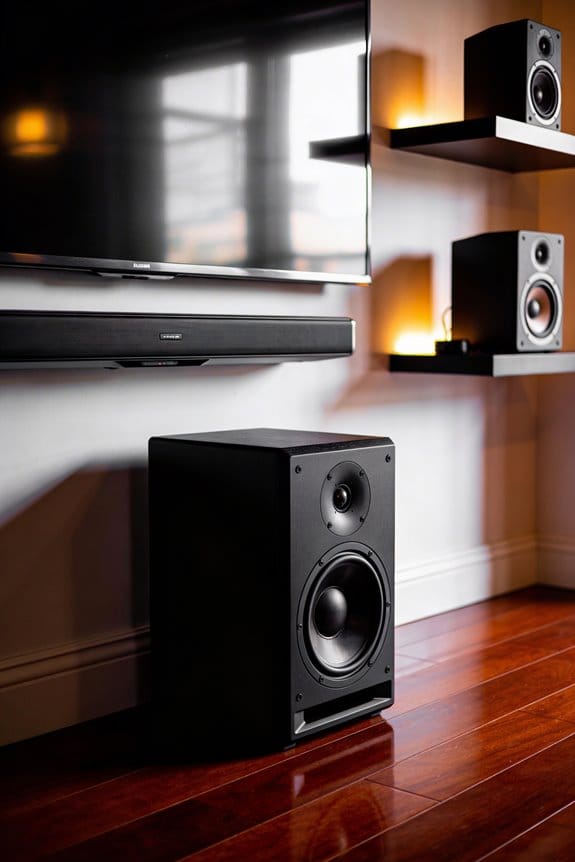

I’ll explain that 128 kbps compresses your audio files to approximately 4 MB per song, which works well for casual listening with basic earbuds but sacrifices audio detail. In contrast, 1,411 kbps preserves CD-quality sound at around 40 MB per song, maintaining the full frequency range and dynamics. The higher bitrate doesn’t improve your speakers’ performance, but it provides more audio information for quality headphones to reproduce. Your equipment, listening environment, and trained ear determine whether you’ll notice the difference between these bitrates in practice.
Key Takeaways
- 128 kbps compresses audio significantly, suitable for casual listening, while 1,411 kbps preserves CD-quality detail for audiophiles.
- Higher bitrates require better speakers or headphones to reveal their quality; basic equipment won’t showcase the difference.
- A 128 kbps song uses about 4 MB versus 40 MB for 1,411 kbps, affecting storage capacity tenfold.
- Most listeners can’t distinguish between 320 kbps and lossless audio with standard equipment in normal environments.
- Choose 128-192 kbps for convenience, 256-320 kbps for quality streaming, or 1,411 kbps for professional work.
128 Vs 1411 Kbps Audio Quality: Which You Actually Need
How much audio quality do you really need for everyday listening? It’s a good question and the answer varies based on what you’re using, your hearing, and where you’re listening. For most casual situations, 128 kbps is totally fine if you’re rocking basic earbuds. This bit rate works well for podcasts or audiobooks since the audio compression doesn’t mess with how clearly the voice comes through.
If you like streaming music and you’ve got decent headphones, aim for 256-320 kbps. This range allows you to enjoy most of the sound without bogging down your storage with huge files. Want that fuller sound? Go for the higher bit rates—it makes a difference in the range of frequencies you’ll hear.
Now, you might wonder when to bother with 1,411 kbps. Only go there if you’re doing professional audio work, archiving your music, or if you’ve invested in high-end speakers that really pick up on those small details. Keep these factors in mind:
- Quality of your playback equipment
- How much storage space you have
- Your internet speed for streaming
- If you need to take files on the go
Truth is, most people won’t notice much difference between 320 kbps and lossless audio when it’s played back in normal settings. So, for everyday listening, those extreme bitrates just aren’t needed.
Can You Hear the Difference Between 128 and 1411 Kbps?
Can you really hear the difference between 128 kbps and 1,411 kbps? It’s a question many music lovers ponder, and the answer is not quite as straightforward as you might think.
Whether or not you notice the gap comes down to a few key factors that play a huge role in your listening experience.
To really perceive bitrate differences, you need a combination of trained listening skills, good playback equipment, and complex musical pieces. If you’re just using basic earbuds or those Bluetooth speakers you grabbed on sale, the differences can be hard to spot. But if you’re listening through quality studio monitors or high-end headphones, you’ll start to hear the compression issues clearly.
Want to test your own ears? Try listening to orchestral music, jazz recordings, or songs that feature a lot of cymbals. These types of sounds highlight the limitations of 128 kbps, which can often come off as muddy or distorted. In contrast, lossless 1,411 kbps will keep all those delicate details that the lower bitrate just can’t handle.
Also, consider your listening environment. Honestly, background noise in places like your car, an office, or even the gym can completely mask these bitrate differences.
In short, if you’re serious about music and want to appreciate its full quality, you might want to invest a bit in better equipment—and maybe look to avoid noisy environments while listening. What’s been your experience with different audio qualities?
How 128 and 1411 Kbps File Sizes Compare for Storage
When it comes to building your music collection, have you thought about how much storage space you actually need? Choosing between 128 kbps and 1,411 kbps can make a big difference in file sizes, which can impact your storage efficiency.
At 128 kbps, a typical 4-minute song takes up about 4 MB. On the other hand, that same song at 1,411 kbps will balloon to around 40 MB. That’s a huge difference—essentially, you can fit about ten times as many songs in the same storage space if you go with 128 kbps over CD quality.
For instance, if you’ve got a 32 GB smartphone, you’ll be able to store around 8,000 songs at 128 kbps. But when you switch to 1,411 kbps, that number dives down to roughly 800 songs. If you love music and want a massive library, opting for the lower bitrate significantly cuts down your storage needs and the costs associated with it.
So, why does this matter? If you’re balancing your music library and device storage, keep these numbers in mind. It could save you from running out of space just when you’re ready to add that new album you’ve been eyeing.
In short, think about your listening habits and the devices you use. It might just influence your choice for years to come. What’s your priority—sound quality or quantity?
What Headphones and Environments Reveal Bitrate Quality
Have you ever wondered why the same song can sound completely different on various devices? When it comes to audio bitrates, the headphones you use and the environment you’re in significantly impact what you actually hear.
For starters, think about the type of headphones you’re using. Basic earbuds aren’t going to showcase the differences between 128 kbps and 1,411 kbps. However, if you switch to studio-grade headphones, you’ll start to notice those little compression artifacts. Your surroundings play a role too. In a noisy room, it’s tough to pick up on those subtle audio details that a quiet space could easily highlight.
Music genres can make a difference too. Ever notice how classical music, with its broad dynamic range, reveals bitrate differences better than compressed pop tracks? If you’re listening to a high-bitrate track on quality equipment in a controlled environment, you’ll really hear the sound quality improvements.
So, what does this all mean for you? Your ideal bitrate is really about personal preference. Try this: test out different combinations of equipment and environments to see what sounds best to your ears. You might be surprised at how much your listening experience can vary!
Which Bitrate to Choose: 128, 256, 320, or 1411 Kbps
Figuring out which bitrate to pick can feel overwhelming, especially with so many options out there. You want to make sure your audio sounds great, but you also don’t want to hog all your storage space.
For casual listening with basic earbuds or in a noisy place, going with 128-192 kbps usually works well. This range balances decent sound quality with smaller file sizes, typically around 3-6 MB per track. It’s perfect for that daily commute or background music while you work.
If you’re into streaming or you use good headphones, aim for 256-320 kbps. This gives you a richer audio experience without blowing up your storage, resulting in files that are about 8-10 MB each. It’s a nice upgrade if you enjoy more intricate sounds in your favorite songs.
When it comes to professional work, like editing or preserving music, that’s when you’ll want to go for 1,411 kbps with lossless formats. Sure, these files can hit around 40 MB each, but they keep every little detail of the original sound. It’s essential when you’re really scrutinizing audio quality.
So why does this matter? Well, it’s about matching your choices to what you have. If your headphones or speakers aren’t that great, higher-quality files might just be wasted space and resources. But if you’re invested in good equipment, those premium files can truly shine.
In the end, consider what fits your lifestyle best. Do you prioritize sound quality, or is storage a bigger concern for you?
Frequently Asked Questions
Does Converting a 128 Kbps File to 1,411 Kbps Improve Its Quality?
I’ll be blunt: no, upconverting won’t magically restore lost data. Audio compression permanently discards information at 128 kbps. Converting it to 1,411 kbps just creates a larger file with identical sound quality—you can’t recover what’s already gone.
What Bitrate Do Spotify, Apple Music, and Youtube Music Actually Stream?
I’ll break down the streaming quality for you: Spotify offers up to 320 kbps, Apple Music streams at 256 kbps AAC, and YouTube Music maxes at 256 kbps AAC. These audio formats deliver solid quality.
Can High Bitrate Files Damage Speakers or Reduce Their Lifespan?
No, bitrate won’t damage your speakers—that’s a myth. Higher bitrates simply improve audio fidelity without affecting speaker performance or lifespan. Volume levels and distortion cause wear, not the quality of digital data your speakers receive.
How Much Total Storage Is Needed for 1,000 Songs at Different Bitrates?
I’ll calculate total storage for your song selection: at 128kbps, you’d need about 4GB; at 320kbps, roughly 10GB; and at 1,411kbps (CD quality), approximately 40GB for 1,000 songs.
Does Wireless Bluetooth Transmission Reduce the Benefits of High Bitrate Audio?
Yes, I’m afraid your fancy high-bitrate files meet their match with Bluetooth limitations. Most Bluetooth codecs compress audio during transmission, reducing audio fidelity regardless of your source quality—though newer codecs like aptX HD help minimize losses.