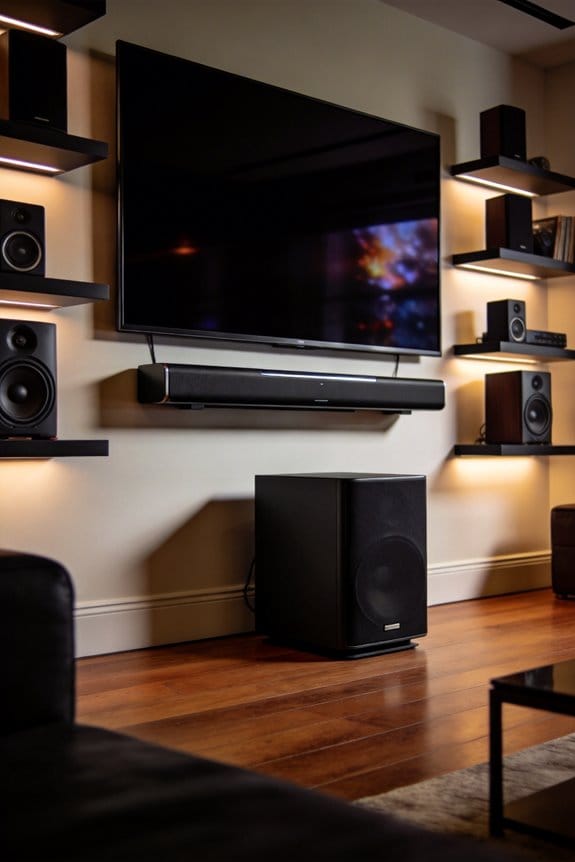

I’ll explain why movie soundtracks force you to constantly adjust your volume control—it’s because the 90 dB difference between whispered dialogue at 30 dB and explosive sound effects at 120 dB exceeds what most home playback systems can reproduce without compression. Theater mixing accommodates dynamic ranges above 120 dB, but your home equipment typically handles only 60-90 dB effectively, causing explosions to overpower dialogue. Compression technology reduces this gap by automatically lowering loud sounds and boosting quiet ones, though many viewers don’t enable these settings like Night Mode or Dynamic Range Compression, which I cover in detail below.
Key Takeaways
- Dynamic range spans 90+ dB from whispers (30 dB) to explosions (120 dB), creating trillion-fold intensity differences that challenge equipment.
- Movies are mixed for theaters with 120+ dB ranges, but home systems struggle to reproduce this, causing volume management frustration.
- Analog equipment’s limited 60 dB dynamic range compresses or distorts extreme sounds, while digital systems handle 144 dB more effectively.
- Equipment noise floors around 30 dB mask quiet dialogue, especially in analog systems, making whispers inaudible without volume adjustments.
- Compression technology reduces loud sounds and boosts soft ones, narrowing the dynamic range to balance explosions and whispers for playback.
Dynamic Range: The dB Gap Between Whispers and Explosions
Have you ever listened to music and felt like some parts were too quiet while others blasted your ears? That’s where dynamic range comes into play. It’s the difference in decibels between the softest whispers and the loudest explosions in your audio recordings.
To put it simply, the volume levels are measured on a logarithmic scale. This means that a 10 dB increase isn’t just a small bump; it translates to a tenfold change in the sound’s intensity. Just think about it: whispered speech is around 30 dB, while explosive sounds can soar above 120 dB. That creates a crazy 90 dB gap! Navigating this range is tricky, especially when it comes to recording equipment and how our ears pick up sound.
Here’s the kicker: while your ears are pretty good at processing these extremes, recording devices sometimes struggle. If you’ve ever dealt with those soft moments in your audio that just can’t be heard, they might be falling below your equipment’s noise floor. This leads to unwanted hiss and background noise taking over the quieter sounds.
On the flip side, those loud sounds? If they exceed what your equipment can handle, you’re in for a nasty surprise with distortion or clipping. Talk about ruining the listening experience!
So, what can you do about it? Start by keeping an eye on your levels. Make sure your quiet moments are still audible, and don’t let the loud sounds blow out your recordings.
The best part is, once you get a handle on dynamic range, you’ll create audio that sounds way more professional. Take a moment to think about how these tips might help you. Your listeners will definitely thank you!
Why 120 dB Explosions Overpower 30 dB Whispers
Ever wonder why a loud explosion can drown out a quiet whisper? The difference in sound intensity is truly staggering. A typical 120 dB explosion is about one trillion times louder than a mere 30 dB whisper. That’s a whopping 90 dB gap!
This huge difference impacts how we perceive sound. When you think about it, every 10 dB increase actually means a tenfold increase in intensity. So, when those explosions hit that 120 dB mark, they’re so intense that they can overpower any quiet sounds around them. It’s almost like your ears are warning you about the pain they can cause.
Now, here’s the thing: audio equipment has a hard time capturing both these extreme sounds at once. The intensity levels between an explosion and a whisper create issues, especially with older gear. If you’ve got analog equipment that has a dynamic range of about 60 dB, it really struggles to bridge that gap without compressing or distorting the sound.
So, what can you do about it? If you’re mixing audio, pay attention to these loud versus quiet elements. Try to balance your levels to avoid that overwhelming intensity. And remember, when you’re setting up your mix, be mindful of the dynamic range your gear can handle.
In short, understanding these sound dynamics can help you make better choices in your audio setup. Have you thought about how much louder those explosions are than the whispers in your recordings? It’s a crucial concept to keep in mind!
Human Hearing’s 90 dB Usable Range Limitation

Ever wonder why some sounds seem painfully loud while others just fade into the background? It turns out your ears can pick up a wide range of sounds, from those quiet whispers at 0 dB to the thunderous roar of a jet engine at 120 dB. But here’s the kicker: you really only have about a 90 dB range that you can actually use in your daily life.
So what does that mean for you? Well, this 90 dB range spans between the noise floor—around 30 dB in most environments—and your discomfort threshold, which hovers around 120 dB. Your hearing works best in this sweet spot, where sounds are clear enough to hear without causing that dreaded ear discomfort.
Here’s the thing: when sounds go beyond this range, you’re in for trouble. Explosions or loud crashes can shoot over that upper limit, making you wince or even causing pain. On the flip side, you might miss softer sounds, like whispers, because they fall below that practical lower threshold and get drowned out by the background noise.
Try this: next time you’re watching a movie or listening to music, pay attention to how the volume fluctuates. Do some scenes leave your ears ringing while others are barely noticeable? It’s a perfect illustration of that 90 dB window in action.
To wrap it all up, knowing about this usable range can help you get more enjoyment from what you listen to. So, why not try adjusting the sound settings next time? You might find the perfect balance that’s easy on your ears!
Equipment Noise Floors That Swallow Quiet Dialogue
Ever tried to watch a movie where the dialogue is so quiet it feels like you’re straining to hear what’s being said? It’s frustrating, right? This happens a lot because electronic equipment creates its own background noise, interfering with those hushed tones we all want to catch.
How Noise Floor Affects Dialogue Clarity
Analog recording systems have about 50-60 dB of dynamic range, which means their noise level is relatively high. When actors whisper at around 30 dB, that innate noise at -60 dB from the equipment just washes over their performances, making those tender moments nearly impossible to hear. If you’ve ever struggled to follow a conversation in a film, you’ll get just how crucial this is.
Sources of Equipment Noise
Here’s what might be causing that irritating interference:
- Microphone self-noise can range from -10 to -20 dB, which doesn’t help matters.
- Preamp circuitry can contribute thermal noise you didn’t sign up for.
- Cable interference and electromagnetic pickup can sneak in and mess things up.
- Don’t forget about that constant power supply hum, typically around 50-60 Hz.
Digital systems, on the other hand, with their 24-bit quantization, provide a whopping 144 dB dynamic range. That means they have a much lower noise floor, allowing clearer dialogue, even during those softer passages. So, if you’re running into issues with dialogue clarity, it might be time to consider the type of equipment you’re using.
While it can be tricky to manage all this equipment noise, knowing what’s going on is the first step. Have you thought about what might be lurking in the background of your listening experience?
Why Movie Dynamic Range Breaks Home Playback Systems
Have you ever settled in for a movie night at home, only to find yourself cranking up the volume during the quiet parts and then jumping at the loud sounds? It’s frustrating, right? The problem lies in the fact that movies are mixed for big theaters with high-end sound systems. They’re set to handle over 120 dB of dynamic range, so when there’s a massive explosion, it can feel like you’re in the middle of it, while the soft whispers might barely register on your home setup. Your TV speakers or soundbar just can’t keep up without making your neighbors wonder if you’re hosting a block party.
So, what’s the fix? You need to adjust the dynamic range settings on your playback device. Most devices offer features like “Night Mode,” “Volume Leveling,” or “Dynamic Range Compression.” Here’s the trick: these settings help tame the audio signal so the loud moments don’t blow you out of your seat, while the whispers stay clear enough to hear without cranking up the volume to deafening levels.
To find these options, check your streaming device, TV settings, or receiver menu. You might be surprised at how much difference they can make. Play around with these settings to suit your room and preferences.
Frankly, it can be a real game-changer for your movie nights. No more jumping at every loud sound or straining to catch the dialogue! Just a little tweak can transform your experience.
In the end, it’s all about finding a balance that works for you. So, next time you’re gearing up for a movie, think about how those sound settings can enhance your viewing experience. What’s one movie you’ve been itching to watch with better sound?
How Compression Squeezes Explosions and Whispers Together
Ever notice how some movies blast your ears with explosions while leaving whispers barely audible? It can be frustrating, right? The secret sauce audio engineers use is compression technology. It helps balance those loud action scenes with softer dialogue, so you don’t need to keep adjusting the volume.
So how does this work? Simple. Compression automatically lowers the volume of sounds that exceed a certain threshold, usually measured in decibels. For instance, if an explosion hits 120 dB, compression might bring it down to around 90 dB. At the same time, whispers that are around 30 dB can be boosted to about 50 dB. This balance means you can hear conversations clearly without cranking up the volume and then being blasted during action sequences.
When setting up compression, you’ll come across ratio settings like 4:1 or 6:1. This determines how much the loud sounds will be reduced compared to the soft ones. You also have attack and release times, which control how quickly the compression kicks in and how long it lasts. Honestly, it’s about finding that sweet spot.
The best part is, you don’t need to be an audio wizard to get this right. Just remember to adjust those settings until it sounds good to you. So, next time you’re watching a movie, pay attention to how the sound is mixed. It’s all about creating a more enjoyable experience without making your ears ache. How do you adjust the sound settings on your devices?
Gain Staging Techniques That Prevent Dynamic Range Loss
Have you ever mixed a track only to realize the dynamics sound off? It’s frustrating, right? The truth is, compression can help pull those loud and soft sounds together, but it won’t fix the issues that crop up earlier in the recording chain. That’s where proper gain staging comes in. Getting this right means preserving your signal level above the noise floor without risking distortion later on.
Set Input Gain Correctly
Start by adjusting your microphone preamp gain so that the loudest parts hit between -12 to -6 dBFS. Keep an eye on those meters when your artist is going all out; you want to catch any peaks. Make sure you leave some headroom for those surprise volume spikes. No one wants to get caught off guard!
Monitor Signal-to-Noise Ratio****
Now, let’s talk about that signal-to-noise ratio. Aim for at least 60 dB of separation between your signal and the noise floor to keep everything clean. Be cautious with noise reduction plugins—they can introduce unwanted artifacts if used too much. It’s better to get your recording right from the get-go rather than trying to fix it in post.
Track Individual Channels
When it comes to mixing, pay close attention to each individual channel. Adjust the faders so that levels stay consistent throughout your mix. For vocals, routing them through a bus compressor set at -18 dBFS can really help preserve headroom and keep them sounding crisp.
Frequently Asked Questions
Does Streaming Compression Reduce Dynamic Range More Than CD Quality Audio?
Yes, I’ll explain: streaming compression typically reduces dynamic range more than CD quality. Lossy codecs create streaming artifacts while prioritizing audio fidelity for average listening levels, causing softer sounds to lose detail and louder peaks to become more compressed than uncompressed CD audio.
Why Do Modern Pop Songs Sound Louder Than Classical Music Recordings?
I’ll explain: pop music storms through your speakers because the loudness war drives musical production toward heavy compression, crushing dynamic range. Classical recordings preserve natural dynamics—soft strings to thunderous crescendos—making them seem quieter overall.
Can Headphones Reproduce Wider Dynamic Range Than Speakers in Rooms?
Yes, I’d say headphones deliver superior audio fidelity because headphone technology eliminates room reflections and ambient noise that compress speakers’ dynamic range. You’ll hear subtler details and wider volume variations without environmental interference affecting the sound.
Do Different Musical Genres Require Different Amounts of Dynamic Range Compression?
Yes, I’d say different genres absolutely require varying compression amounts based on their genre characteristics. Classical music preserves natural dynamics, while pop and rock use aggressive compression techniques to achieve consistent loudness and radio-ready punch.
How Does Room Acoustics Affect Perceived Dynamic Range During Playback?
Room acoustics dramatically impact how you perceive dynamic range. I’ve found that room reflections can muddy quiet passages, while poor sound diffusion creates uneven frequency response that makes loud sections seem harsher and soft details harder to distinguish clearly.