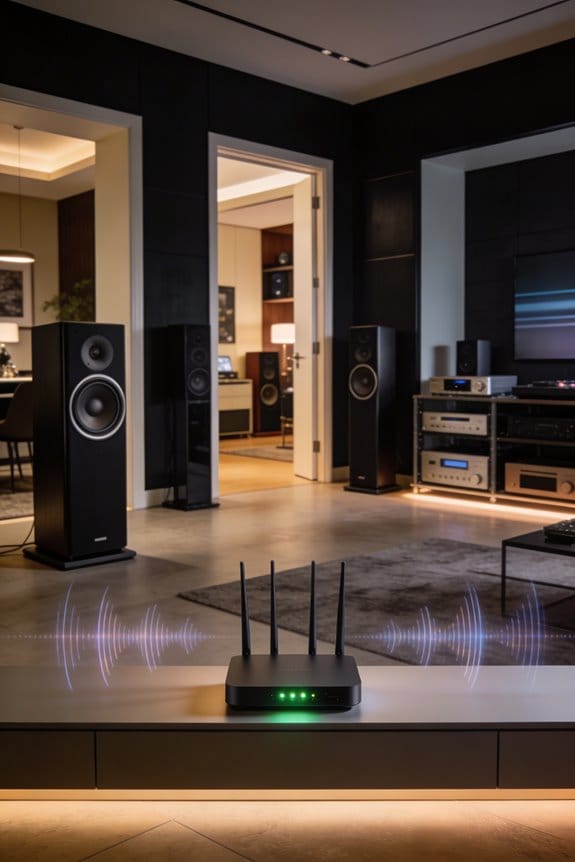

Wi-Fi 6 transforms multi-room audio by using OFDMA technology to transmit data to multiple speakers simultaneously, maintaining under 20 milliseconds of latency for perfectly synchronized playback across your entire home. Target Wake Time schedules precise audio delivery to each device, eliminating the delays that plagued older Wi-Fi standards and Bluetooth connections. You’ll experience seamless streaming across 74+ devices within 150 feet, with support for high-resolution FLAC and ALAC formats that preserve audio quality. The sections below explain the technical specifications and setup requirements in detail.
Key Takeaways
- Wi-Fi 6 maintains audio synchronization across multiple speakers with latency under 20 milliseconds for seamless playback throughout rooms.
- OFDMA technology allows simultaneous data delivery to different speakers, eliminating queue delays and enabling perfectly synchronized audio.
- Target Wake Time schedules audio data delivery efficiently, ensuring consistent streaming without interruptions across all connected speakers.
- Beamforming directs Wi-Fi signals specifically to each device, improving connection stability and coverage in homes over 2,000 square feet.
- Quality of Service settings prioritize audio packets over other network traffic, preventing disruptions during multi-tasking across connected devices.
How Wi-Fi 6 Reduces Audio Lag and Dropouts Across Rooms
Streaming music across different rooms in your home can be a real hassle, especially when you run into audio lag and dropouts. Ever been jamming out only to have your favorite track cut out when you’re moving from one room to another? That’s frustrating! Here’s the good news: Wi-Fi 6 is stepping up to solve those issues.
This new standard really amps up data transfer rates, making it easier to stream music to multiple speakers without hitting any annoying bottlenecks. The best part is that it keeps the audio in sync, so each speaker plays sound at exactly the right time. You’ll find that the timing is spot on, thanks to Wi-Fi 6’s focus on consistency.
So, how does it handle the chaos of multiple devices? Wi-Fi 6 has really improved interference resistance. When you’re streaming music while your kids are online gaming or someone’s binge-watching shows, your audio won’t skip or drop out. That means you can place speakers around your home without worrying about them falling out of sync like you might have experienced with older setups.
For those of you who love to host or just want music playing seamlessly all around, this tech really shines. No more compromising on quality just because you want to fill your home with sound. It’s stable enough to keep your tunes flowing, even when you’ve got a full house of gadgets competing for signal.
In short, Wi-Fi 6 can seriously enhance your audio experience at home—from crisp sound to minimizing dropouts, especially when you’ve got speakers in multiple rooms. Why not give it a shot and see how your music experience improves? Remember, staying up-to-date with tech can make a world of difference!
Why Bluetooth and Older Wi-Fi Can’t Handle Whole-Home Audio?
How frustrating is it when you have speakers in different rooms but they just won’t sync up? If you’re relying on Bluetooth or older Wi-Fi for your whole-home audio setup, you might be in for a headache.
Let’s break it down. Bluetooth is great for a quick connection to one or two speakers, but beyond that, it can be a struggle. With a maximum range of about 30 feet and support for only about 7-8 devices at once, it doesn’t stand up well when you’re trying to create a rich audio experience throughout your house. Plus, that audio compression? It can really make your music sound flat.
Older Wi-Fi standards like 802.11n have their own issues. When you’ve got multiple speakers vying for the same bandwidth, you’ll notice drops and stuttering that ruin the vibe. And, interference can come from all sorts of places—your neighbor’s Wi-Fi, the microwave, even cordless phones can disrupt that 2.4GHz band. So, why does this matter? Because when it comes to audio, you want a clear signal, not one that cuts in and out.
To top it off, older Wi-Fi brings along high latency—a staggering 150-200 milliseconds. This makes syncing up your music across rooms almost impossible. If you’ve ever noticed that your speakers aren’t perfectly in time, you know how annoying that can be.
In short, if you’re aiming for a seamless whole-home audio experience, it’s worth considering newer tech options. Think about how you listen to music—wouldn’t you want each room to sound just as good as the last?
How Wi-Fi 6 Keeps Multiple Speakers Perfectly Synchronized
Wi-Fi 6 makes streaming music across multiple speakers in your home a lot smoother. If you’ve ever had that annoying moment where one speaker lags just a bit behind the others, you know how frustrating it can be. With this new wireless standard, those synchronization headaches are pretty much a thing of the past.
So, how does it work? One of the standout features of Wi-Fi 6 is something called Target Wake Time (TWT). This technology helps schedule when each speaker gets the audio data it needs, which means that pesky timing conflicts that ruin the sound can be avoided. Plus, with an impressive latency of under 20 milliseconds, you can have speakers placed all over your house, and they’ll be in sync—what’s not to love about that?
Another trick Wi-Fi 6 has up its sleeve is OFDMA (Orthogonal Frequency Division Multiple Access). This fancy term means that the network can break down its bandwidth into smaller chunks. Instead of making the speakers wait in line to get their data, they can all receive it at the same time. This is a huge improvement over older standards that would sometimes leave you tapping your feet in frustration as the music fell out of sync.
Don’t forget about the regular firmware updates, either. These updates help keep your speakers working together smoothly by improving decoder compatibility and fixing any network interference problems. On top of that, beamforming is another cool feature. It sends your Wi-Fi signals straight to each device instead of broadcasting them everywhere, which keeps everything in sync.
In short, Wi-Fi 6 has really stepped up the game for multi-speaker setups. If you want a seamless audio experience at home, all these improvements make a noticeable difference. Have you tried upgrading to Wi-Fi 6 yet?
Setting Up Wi-Fi 6 Multi-Room Audio Systems
Setting Up Wi-Fi 6 Multi-Room Audio Systems
Feeling a bit lost on how to set up your Wi-Fi 6 multi-room audio system? You’re not alone. First things first—check if your router and speakers are Wi-Fi 6 compatible (that’s the 802.11ax standard). A quick visit to the manufacturer’s website can save you from the headache of a mismatched setup because mixing different Wi-Fi standards is a recipe for sync issues.
Next, think about speaker placement. This can really make or break your experience. Aim for spots that allow the best network signal. Believe it or not, where you put your speakers significantly impacts how well they communicate with each other, which in turn affects sound quality.
Now, grab the manufacturer’s app. Seriously, it’s not just a tool; it’s your best friend when it comes to troubleshooting. If you ever run into connection hiccups, this app usually has you covered. You can configure each speaker from the app’s device menu, and once they’re all set, go ahead and group them for that seamless playback experience.
But how do you know if everything’s working as it should? Try this: play the same track across all zones. If there’s any noticeable delay, it might be time to tweak your audio settings. Most issues like this can often be fixed by updating your router’s firmware or optimizing the channels.
Wi-Fi 6 vs. Bluetooth for Whole-Home Speaker Networks
Ever set up a speaker system in your home and wondered if Bluetooth could’ve been just as good? It’s tempting, but the truth is, Bluetooth really starts showing its flaws when you try to connect more than two speakers at once. You might deal with audio dropouts and annoying sync issues that can ruin your listening experience.
On the other hand, Wi-Fi 6 shines in comparison. It can handle up to 74 devices per router without losing any performance. That kind of capacity makes it perfect for a whole-home speaker setup. Bluetooth, in contrast, maxes out at about 7 or 8 connections, which can feel pretty limiting if you’re trying to set up a robust audio experience throughout your space.
Now let’s talk about flexibility. With Wi-Fi 6, you can easily place your speakers up to 150 feet apart. Bluetooth? You’re stuck with a measly 30-foot maximum. So, if you’re thinking of spreading your speakers across multiple rooms, Wi-Fi 6 is the way to go.
Audio quality is another big win for Wi-Fi 6. It supports lossless audio codecs like FLAC at a whopping 24-bit/192kHz. Meanwhile, Bluetooth’s audio gets compressed down to a maximum of 320kbps, which isn’t great if you care about sound quality.
To top it all off, Wi-Fi works seamlessly with streaming services, voice assistants, and smart home platforms. Bluetooth doesn’t connect directly to many of these options, which really limits what you can do with your whole-home system.
Using AirPlay and Chromecast With Wi-Fi 6 Speakers
Streaming music with AirPlay or Chromecast can sometimes be frustrating, especially when it comes to connectivity issues. But if you’ve got Wi-Fi 6 speakers, you might find it’s a whole different experience. With the better connection features of Wi-Fi 6, you should notice faster pairing and less buffering while enjoying your favorite tunes.
To use AirPlay, just swipe down on your iOS device to access the Control Center. Tap the audio output icon and pick your Wi-Fi 6 speakers from the list. For Chromecast, it’s pretty much the same. Open up compatible apps like Spotify or YouTube Music, hit the Cast icon, and choose your speakers from the options.
Before diving in, it’s important to check a few things to make sure you’re set up for success. Most manufacturers recommend having firmware version 2.0 or higher, support for WPA3 security, and audio codecs like AAC or Opus. You’ll appreciate how well Wi-Fi 6 handles multiple streams at once—it really can make a difference in your listening experience.
Here are some tips to get the best out of your Wi-Fi 6 speakers:
- Keep your speakers within range of your router.
- Regularly update your apps to benefit from new features.
So, why does all this matter? Well, the faster your speakers connect and the smoother your streams run, the better your music sounds. In short, positioning and updates can turn your listening sessions from good to fantastic.
To wrap it up, whether you’re using AirPlay or Chromecast, having Wi-Fi 6 speakers can really enhance your music streaming experience. What song will you cue up first with your new setup?
How Mesh Networks Extend Multi-Room Audio Coverage
Ever tried getting music to every room in your house, only to find it cuts out halfway through your favorite song? That’s a common issue when you’re relying on just one Wi-Fi router to cover the whole space. Mesh technology is here to tackle that problem head-on by setting up multiple access points throughout your home. Each of these mesh nodes acts like a mini repeater, keeping the audio flow strong so that your speakers in far-off rooms stay connected without hiccups.
Now, you might wonder what makes these mesh networks so effective. The beauty of them is that they automatically choose the best route for your data, which means the signal strength stays consistent. This is huge when you’re playing music in sync across different rooms. If the signal weakens—thanks to thick walls or heavy appliances—your music may pause and buffer at the worst times. Luckily, strategically placing these nodes can help you dodge these headaches.
When you’re setting up your audio, keep in mind where you’ve placed your routers. Think about where you spend most of your time and how many floors you have to cover. Here’s the trick: add more nodes in areas that feel especially weak to ensure full coverage.
How OFDMA Manages Simultaneous Streams to Every Room
Ever tried streaming music in multiple rooms, only to feel that annoying lag? You know the scenario: you’ve got a mesh network set up, speakers dotted throughout your home, but getting that audio to sync can be a headache. There’s a neat trick that Wi-Fi 6 pulls off to make this smoother: it uses OFDMA.
So what does that mean for you? Essentially, OFDMA breaks your available bandwidth into smaller chunks. This allows your router to send signals to several devices simultaneously instead of one at a time. The beauty of it? Your router can tailor the bandwidth to suit the needs of each speaker. That means you can have six speakers playing different parts of the same song, and they won’t trip over each other.
Here are a couple of benefits to consider:
- Less Waiting: Devices don’t sit in a queue anymore. This means lower latency, so your music streams without those annoying delays.
- Consistent Sound: By optimizing signals for each zone, you keep audio clarity across the board, making those house parties a blast.
Truth is, this setup really shines when you’re blasting tunes in several rooms at the same time. You won’t have to deal with bottlenecks, and everything stays in sync.
In the end, think about how OFDMA might change your listening experience. Have you set up a multi-room audio system yet?
When Wi-Fi 6 Matters Most: Large Homes and Hi-Res Audio
If your home is over 2,000 square feet or sprawls across different levels, you’ve probably noticed how tricky it can be to get a strong Wi-Fi signal everywhere. That’s where Wi-Fi 6 really shines. This upgrade makes it much easier to keep your audio running smoothly throughout your space. Older Wi-Fi systems often struggle to reach those distant rooms without relying on mesh nodes or range extenders, but Wi-Fi 6 steps up to the plate, delivering solid connections even in bigger spaces.
Streaming high-quality audio like lossless FLAC files or Tidal Master tracks is a breeze with this technology. Think about it: with Wi-Fi 6, you’re getting ample bandwidth to enjoy those immersive sounds without any annoying compression artifacts. It can even handle 24-bit/192kHz audio streams playing across eight speakers at once. Say goodbye to the frustrating timing issues you might have faced with Wi-Fi 5—it’s a lot smoother now.
If you’re putting together an audiophile setup, having your wi-fi handle your woofers and tweeters is crucial. Wi-Fi 6 reduces latency, helping to keep everything in sync, which is key for maintaining that soundstage accuracy you crave when you listen to your favorite tracks.
So, why does this matter? If you’re aiming for the best listening experience in your home, upgrading to Wi-Fi 6 could be worth considering. Plus, you won’t have to deal with those annoying hiccups in sound quality that can really ruin your vibe.
In short, if you’ve got a large home and love high-res audio, Wi-Fi 6 is the way to go. Have you been thinking about upgrading?
How Wi-Fi 6 Adapts to New Streaming Services and Codecs
Wi-Fi 6 is a big deal if you love listening to high-quality audio. Streaming services like Tidal, Apple Music, and Amazon Music HD are taking things up a notch with lossless formats, and you need a solid connection to keep up. With its ability to handle data-heavy codecs like FLAC and ALAC, you won’t have to deal with annoying compression artifacts that ruin your tunes. Think of it this way: if you’re enjoying high-resolution tracks in multiple rooms at once, Wi-Fi 6 has your back.
Here’s the trick: the standard boasts a theoretical throughput of 9.6 Gbps and uses OFDMA technology to efficiently divide channels among your speakers. This means you can stream multiple devices without a hitch. How great is that? Plus, as newer audio formats like Sony’s 360 Reality Audio and Dolby Atmos Music come into play, Wi-Fi 6 ensures you’ll have that stable bandwidth allocation you need.
Now, let’s delve into how this affects your day-to-day use. The router does a fantastic job prioritizing audio packets thanks to QoS settings. This helps keep things running smoothly, so when someone’s streaming a movie or browsing, you won’t have to worry about buffering ruining your jam session. The best part is that you won’t have to replace your system anytime soon because it’s built to adapt as streaming services roll out higher bitrate options.
In short, if you want a seamless audio experience, upgrading to Wi-Fi 6 is a smart move. So, are you ready to take your audio experience to the next level?
Frequently Asked Questions
Do I Need to Replace My Old Speakers to Use Wi-Fi 6?
You’ll likely need new speakers since most older models lack built-in Wi-Fi 6. However, I’d check your current speaker compatibility first—some accept external adapters. Upgrading guarantees peak audio performance and takes full advantage of synchronization improvements.
Will Wi-Fi 6 Speakers Work Without a Smart Home Hub?
Think of speakers as standalone instruments—they’ll play beautifully alone. Yes, Wi-Fi 6 speakers work independently through direct Wi-Fi compatibility. However, smart home integration with hubs reveals their full potential, enabling seamless control and advanced multi-room features I’d recommend exploring.
Can Wi-Fi 6 Audio Systems Operate During Internet Outages?
Yes, I can confirm they’ll work during outages if you’re streaming locally stored content. The offline functionality lets speakers sync across your home network, and audio buffering helps maintain playback from devices already on your Wi-Fi.
How Much Does a Basic Wi-Fi 6 Multi-Room Setup Cost?
I’d estimate you’ll spend $400-$800 for a basic two-speaker Wi-Fi 6 multi-room setup. Budget considerations include speaker quality and brand choice, while setup options range from starter pairs to expandable ecosystems that grow with your needs.
Does Wi-Fi 6 Audio Drain More Electricity Than Older Systems?
Like a telegraph using less coal, Wi-Fi 6 actually consumes *less* power than older systems. I’ve found the energy comparison shows improved Wi-Fi efficiency through better data transmission, meaning your multi-room setup won’t spike your electricity bill.