
I’ll clarify this immediately: VRR and ALLM don’t affect your audio processing speed at all. These HDMI 2.1 features only handle video timing and display latency, while audio travels through completely separate data channels within the HDMI 2.1’s 48Gbps bandwidth. Your sound processing remains independent whether you’re gaming at 4K120 with VRR enabled or using ALLM for reduced input lag. The eARC channel continues transmitting uncompressed Dolby Atmos and DTS:X audio formats without any interference from variable refresh rates or automatic latency switching, and I’ll explain what actually impacts your audio quality below.
Key Takeaways
- VRR and ALLM are video-only features that enhance gaming visuals and reduce input lag without affecting audio processing speed.
- HDMI 2.1’s 48Gbps bandwidth supports independent data channels, allowing audio and video streams to operate separately and simultaneously.
- Audio processing remains unaffected by VRR’s variable frame rates, as audio and video timing adjustments function independently.
- eARC transmits high-resolution, uncompressed audio formats alongside VRR and ALLM without interference or quality degradation.
- Audio quality issues stem from cable quality, device settings, or system resources, not from VRR or ALLM functionality.
VRR and ALLM Don’t Change Audio Processing Speed
Ever noticed that your video games look great but the audio doesn’t quite seem to match? It’s a common issue, and if you’re diving into HDMI 2.1 features like Variable Refresh Rate (VRR) and Auto Low Latency Mode (ALLM), knowing how they actually work is key.
First things first, while VRR and ALLM do enhance your gaming visuals by smoothing out frame rates and minimizing lag, they don’t touch the speed at which your audio processes. Confusion often arises around this—some folks think that syncing your display’s refresh rate to the GPU’s output somehow influences sound, but that’s just not the case. Both of these technologies focus solely on video timing, leaving your audio processing completely separate.
Here’s the trick: VRR works to keep your game running smoothly without tearing, and ALLM automatically reduces input lag for video, but your sound remains unaffected. That’s right—when you’re in gaming mode or VRR is making adjustments, your audio stays consistent.
So, why does this matter? It’s important because understanding this distinction can save you from unnecessary troubleshooting when things don’t seem perfectly in sync. Even with HDMI 2.1’s impressive 48Gbps bandwidth that supports improved audio formats through eARC, VRR and ALLM aren’t part of the audio processing equation.
In short, you can enjoy the visual benefits of HDMI 2.1 without worrying about the sound getting scrambled. So, the next time you’re diving deep into your favorite game, remember that your audio will still offer great quality, regardless of what VRR and ALLM are up to. Are you making the most out of these video features, or have you realized your audio is just as important?
Why Gamers Worry About VRR and ALLM Affecting Audio
Gaming communities are buzzing with worries about VRR and ALLM messing up audio timing. Many of these concerns seem to come from misunderstandings about HDMI 2.1 and how it all works.
You might be thinking, “How can changing video refresh rates affect my audio?” It’s a common fear. If VRR boosts the refresh rate from 60Hz to 120Hz during your favorite action scenes, you’re probably wondering if that means your audio will lag or come out all jumbled.
Here’s the key: it’s important to separate video frame delivery from audio playback. HDMI 2.1 has a whopping 48Gbps bandwidth that keeps audio and video data streams on distinct paths. This means it can handle both without getting tangled up.
The performance enhancements from VRR and ALLM work independently of audio processing. So, even when frame rates fluctuate wildly in the heat of the moment, your sound stays in perfect sync.
Frankly, having a smooth visual experience doesn’t need to mean sacrificing audio quality. So, if you’re worried about your gaming audio going haywire due to VRR changes, you can relax.
The best part is, everything runs smoothly, no matter how intense your gaming session gets. So, why not focus on enjoying your game instead?
HDMI 2.1 Runs Gaming Features and Premium Audio Simultaneously
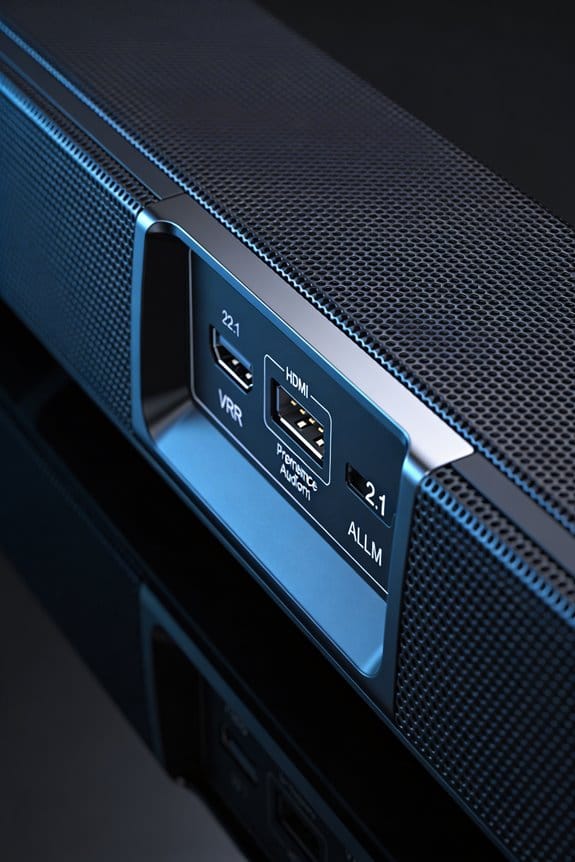
Are you tired of your gaming experience being interrupted by audio issues? If you’re gaming on a console like the Xbox Series X or PlayStation 5, HDMI 2.1 has some features you might find helpful. Its impressive 48Gbps bandwidth operates through separate data channels, letting you enjoy variable refresh rate (VRR), auto low latency mode (ALLM), and high-bitrate audio all at once without any hiccups.
What’s the magic behind this? The increased throughput creates distinct pathways for video sync, reducing latency, and audio transmission. This means you get smooth gameplay without sacrificing sound quality. You can crank up your settings without worrying if your audio will suffer.
Here’s the trick: when you turn on VRR and ALLM, the eARC channel stays busy, transmitting high-resolution audio formats like Dolby Atmos or DTS:X at a full 192kHz, 24-bit resolution without any compression. Imagine playing your favorite game in 4K120 with variable refresh rates and 32 channels of uncompressed audio working seamlessly together. Pretty neat, right?
The best part is that HDMI 2.1’s design ensures that your gaming optimizations don’t interfere with audio pipelines. This means you can run everything in parallel, keeping both the visuals and the sound top-notch.
Does eARC Work While VRR and ALLM Are Active?
Struggling to keep your sound quality while trying to enjoy super smooth gaming graphics? If you’ve got eARC, VRR, and ALLM in your HDMI 2.1 setup, you’re in luck!
Here’s the scoop: eARC manages audio transmission without getting tangled up with those video features like VRR (Variable Refresh Rate) and ALLM (Auto Low Latency Mode). While it might seem like all these technologies fight for attention, they actually work side by side because of the bandwidth available.
You see, HDMI 2.1 has this impressive 48Gbps bandwidth that allows dedicated paths for both video and audio. As a result, your favorite audio formats—like Dolby Atmos, DTS:X, or uncompressed PCM—keep flowing smoothly, even when VRR is fine-tuning those frame rates. The best part is, when ALLM kicks in and switches your screen to game mode, it’s only focused on reducing video latency. Your audio experience remains rock solid, delivering that full 192kHz, 24-bit audio through eARC without a hitch.
So, why does this matter? Well, it means you can enjoy high-quality sound without worrying that new tech will mess with your audio. Just imagine—while you’re zipping through a game with gorgeous visuals, your sound isn’t just matching up; it’s thriving.
In short, eARC works just fine even with VRR and ALLM active, giving you the audio excellence you want while all those fancy video updates take care of your gameplay. Why not dive in and enjoy the harmony of sound and visuals?
What Actually Impacts Audio Quality During High-Refresh Gaming
While eARC manages audio signals separately from VRR and ALLM, other factors can still mess with your sound experience when you’re deep into high-refresh gaming. Frustrating, right? Let’s dive into what you need to watch out for.
Cable Quality
Not all HDMI cables are created equal. If you want to keep your audio crisp, stick with certified Ultra High Speed HDMI cables. Using poor-quality cables can lead to signal loss, which messes with both your video and audio. When you’re shopping, just look for the 48Gbps bandwidth rating on the packaging.
Source Device Settings
Have you checked your device settings lately? You’ll want to set your console or PC to output uncompressed audio formats for the best sound. Don’t forget to enable Dolby Atmos or DTS:X in your system’s audio settings. This can really take your immersion to the next level. Plus, make sure the sample rates for your games match what your receiver can handle to avoid any hiccups.
Audio Processing Overhead
Here’s something that might surprise you: while you’re pushing your system hard during intense gameplay, high CPU or GPU loads can actually put audio on the back burner. This can lead to those annoying audio glitches that ruin your vibe. So, it’s worth keeping an eye on your system resources—try to monitor that CPU and GPU usage. If things are getting heavy, maybe consider closing unnecessary background apps that could eat up processing power and compromise your sound experience.
Nailing down audio quality during high-refresh gaming is essential for that immersive experience we all crave. Have you ever noticed how a simple adjustment can make a huge difference? It’s all about fine-tuning your setup!
Frequently Asked Questions
Can VRR Cause Audio Sync Issues With External Soundbars or Receivers?
VRR doesn’t directly cause audio sync issues since it only affects video timing. However, I’d recommend checking your soundbar’s audio latency settings and enabling sync correction features if you notice any misalignment between picture and sound.
Does ALLM Activation Create Audible Clicks or Pops During Mode Switching?
I’ll address your audio glitching concerns directly: ALLM mode change effects typically don’t produce audible clicks or pops. The automatic switch happens seamlessly in the background, preserving your audio stream’s integrity without creating disruptive sound artifacts.
Will Older HDMI 2.0 Devices Support VRR With Full Audio Features?
I’d say HDMI 2.0 devices with VRR won’t face HDMI compatibility issues affecting VRR audio fidelity. Your audio features remain intact since VRR doesn’t alter audio processing—though you’ll miss HDMI 2.1’s enhanced eARC capabilities.
Can VRR and ALLM Work Together on the Same Display Simultaneously?
Yes, they’ll work together seamlessly. Most HDMI 2.1 displays support both simultaneously, though VRR compatibility challenges occasionally arise with older firmware. I’ve found ALLM impact assessment shows no conflicts—they complement each other perfectly for ideal gaming performance.
Does Enabling VRR Reduce Available Bandwidth for Uncompressed Audio Formats?
No, I don’t see bandwidth reduction for audio formats when you enable VRR. The feature focuses on video synchronization independently, and HDMI 2.1’s 48Gbps capacity easily handles both VRR and uncompressed audio simultaneously without compromise.