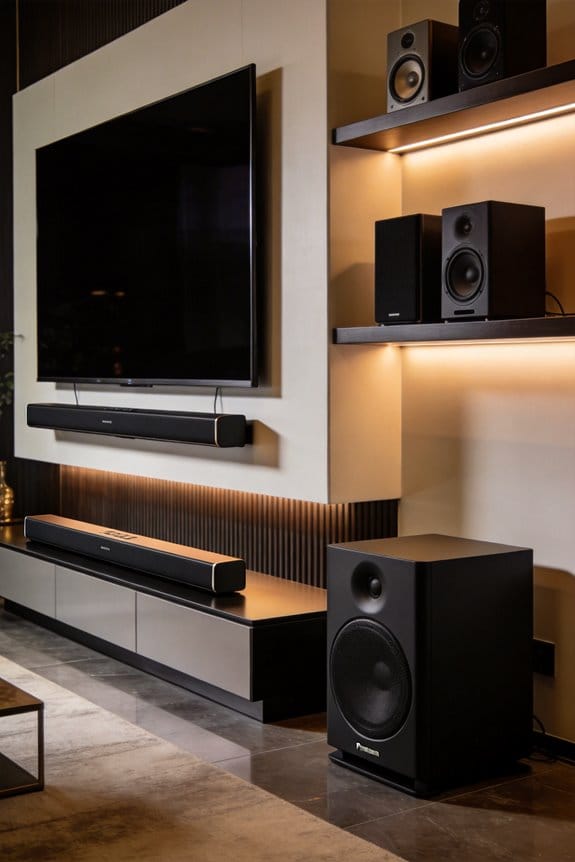

Wall-mounted TVs often compromise sound quality because rear-firing speakers sit flush against walls, creating echoes and muffled dialogue, while placement at 42-48 inches can position audio above ear level. I recommend media consoles for better acoustics since they provide 2-3 inches of clearance behind your TV, allowing proper sound dispersion, and their 18-24 inch height keeps speakers closer to ear level for clearer dialogue. However, console materials and cabinet resonance can cause booming echoes in smaller rooms under 150 square feet, where wall mounting actually reduces unwanted reflections.
Key Takeaways
- Wall-mounted TVs create stronger bass reflections but muddy dialogue clarity, especially with rear-firing speakers pressed against walls.
- Media consoles provide space behind TVs for balanced audio and help diffuse sound naturally through their physical mass.
- Wall mounting at 42-48 inches optimizes speaker direction at ear level, while consoles at 18-24 inches may lower speakers.
- Wall material matters: drywall absorbs mid-range frequencies, concrete creates harsh echoes, and brick causes uneven sound distribution.
- Small rooms under 150 sq ft benefit from wall mounting’s reduced echo; larger rooms over 300 sq ft improve with consoles.
Wall Mounts vs. Consoles: Does Mounting Style Affect TV Sound Quality?
Ever wonder why your TV sounds different when it’s mounted on the wall versus sitting on a console? It’s actually all about how sound works in your room.
When you wall-mount your TV, the speakers are right by the wall, which can create stronger sound reflections. That’s great for some bass, but it can make sounds get a bit jumbled and muddy, making it hard to pick out clear dialogue. On the other hand, a TV on a console has more space behind it. This extra space can help the speakers sound better, giving you a more balanced audio experience.
Think about height too. Wall-mounted TVs are often higher than eye level, which can mess with how sound fills the room. You might notice that certain frequencies are harder to hear well. In contrast, when the TV is on a console, the speakers are closer to where you’re sitting, which is usually the sweet spot for sound clarity.
And if your TV has rear-firing speakers, you’ll definitely want to pay attention to placement. They perform quite differently when they’re flush against a wall compared to when they have some breathing room on a console.
How Wall-Mounted TVs Change Speaker Angle and Audio Direction

When you mount your TV on the wall, you might not realize how much it changes the sound experience in your room. It’s not just about aesthetics; the angle of the built-in speakers can really impact how sound travels to you. Most TVs have speakers on the bottom or rear, and once you put that flat screen up on the wall, those speakers end up tilting either upward or backward. This shift can cause some serious audio issues you might want to consider.
Ever noticed how bottom-firing speakers end up pointing toward the ceiling instead of your ears? This can lead to a muffled sound, with audio bouncing off the upper surfaces rather than reaching you directly. It’s pretty frustrating when you’re trying to enjoy a movie, right?
Then there’s the problem with rear-firing speakers. They press against the wall, blocking sound waves and creating annoying echoes that can mess with your listening experience. If your TV has side-firing speakers, you’re slightly better off, since they tend to keep the audio direction more intact. However, keep in mind that only about 15-20% of TV models have this design.
A handy tip is to consider tilt mounts. These can help angle the screen downward, bringing those bottom speakers closer to your listening position. It’s a small adjustment but can make a big difference in how you experience sound.
Also, remember that the wall itself can reflect sound in unexpected ways. This reflection can muddy the audio quality compared to when your TV is placed on a console. So, if you’re going for that wall-mounted look, it’s worth taking a few extra steps to ensure your sound isn’t compromised.
To sum it up, mounting your TV isn’t just a matter of looks; it can really affect the way sound reaches you. What changes have you noticed in your own setup when it comes to audio?
Media Console Sound Performance: Height and Cabinet Acoustics

Cabinet resonance can be a real headache when you’re trying to enjoy your favorite shows. Ever notice how some sound systems seem to give your living room a booming echo instead of crisp audio? That’s because sound waves from your TV speakers bounce around inside the console, especially if it’s made of wood or hollow materials. This often leads to a muddy sound where mid-range voices get drowned out by excessive bass. Not to mention, if you’ve got glass shelves, cranking up the volume can lead to some annoying rattling.
So, what can you do about it? Try this: placing foam pads under your speakers. It’s a simple trick that can really help dampen those vibrations and clear up the sound. Trust me, it can make a big difference in how your audio comes through.
You might be wondering why this matters. Well, clearer sound quality can significantly enhance your viewing experience. When you can clearly hear every line in your favorite film or catch every nuance in music, it brings a whole new level of enjoyment.
Flush-Mounted TVs: Why Sound Gets Trapped Against Walls
Although wall-mounted TVs have a sleek, modern look, they can cause some serious sound issues that can mess with your audio experience. When you mount your TV flush against the wall, sound waves from rear-firing or side-firing speakers bounce back straight into the wall, leading to muffled and unclear audio quality. So, why does this matter? Poor sound can ruin your favorite movie or show.
How Wall Materials Affect Sound
The type of wall behind your TV plays a huge role in how sound behaves. Here’s a quick breakdown:
- Drywall: It absorbs mid-range frequencies, which can leave you with a hollow sound that’s hard to enjoy.
- Concrete: This material tends to reflect sound in a harsh way, leading to annoying echoes and distortion.
- Brick: This one’s tricky; it traps certain frequencies while reflecting others unevenly, resulting in a mix of sound issues.
Here’s the trick: try to leave 2-3 inches of space between your TV and the wall. You can use spacer mounts for this. That little gap lets the sound disperse naturally, instead of bouncing right back into the speakers, which can really improve what you’re hearing.
Best TV Height for Clear Dialogue: Wall Mount vs. Console Comparison
Since TV speakers usually send sound forward and a bit downwards at a 10-15 degree angle, the height of your screen really does affect how well you’ll hear dialogue from your spot on the couch.
Wall Mount Height Considerations
If you’re thinking about a wall-mounted TV, aim to get that screen’s center at about 42-48 inches off the floor. This height matches up with where people typically sit — around 38-42 inches — which helps the sound from the TV speakers hit your ears just right.
Console Height Limitations
On the other hand, media consoles usually stand around 18-24 inches tall. When you place your TV on one, the speakers end up about 30-36 inches from the ground, which can drop the sound beneath ear level. This might mean struggling to catch every bit of dialogue, especially in bigger rooms.
Tilting for Better Sound
Here’s the trick: if you go with a tilting wall mount, you can angle those speakers more toward your seating area. This simple adjustment can lead to clearer sound by enhancing direct delivery while cutting down on annoying reflections off your ceiling.
Open-Air Wall Mounts vs. Enclosed Consoles: Sound Dispersion Differences
Have you ever noticed how some TVs just seem to sound so much better than others? When you mount a TV on the wall with no furniture around it, sound waves can travel freely in all directions before bouncing off nearby surfaces. This open-air setup has huge benefits for audio diffusion, letting the frequencies spread naturally throughout your room. The result? Sound reaches your ears from different angles, creating a much wider and more immersive listening experience.
On the flip side, placing your TV inside or even on top of a media console can change everything. The furniture acts like a sound barrier, trapping the audio and making it difficult for the sound to move around. This means cabinet surfaces, shelves, and backing panels absorb sound, which can really bring down the clarity, especially for dialogue. High frequencies get lost in the confined space, making voices sound a bit boxy and music lacking that vibrant punch. You might find that the overall volume feels lower than what you’d get with a wall-mounted setup.
So, what’s the best way to enhance your audio experience? Try this: consider mounting your TV on the wall if you’re serious about getting the best sound quality. If you’re in a situation where wall-mounting isn’t an option, think about rearranging your setup to minimize how much furniture is blocking the sound.
Truth is, a little thought on placement can make all the difference in your home entertainment experience. Would you rather settle for muffled audio, or enjoy a sound that brings your favorite shows and movies to life?
Soundbar Placement: Wall Brackets vs. Console Shelves
If you’re trying to set up a soundbar, you might be wondering why the placement is such a big deal. You could buy the best soundbar on the market, but if it’s not positioned right, you’re not going to get the audio experience you’re hoping for.
Wall brackets have their perks. By mounting your soundbar directly below your TV, you keep it at just the right height for sound projection. This positioning helps sound waves travel directly to your ears without anything getting in the way. The beauty of wall mounting is that it keeps your soundbar at ear level when you’re sitting down.
On the other hand, using console shelves can also work, but there are some things to keep in mind. Console shelves provide a stable surface, and when both the TV and soundbar are on the same piece of furniture, it often looks clean and organized. But, if the shelf sits too low or has raised edges, it could block sound. That means dialogue might get muffled, and you might miss some essential high frequencies.
Now, let’s talk about the installation. Wall brackets need you to drill holes and match everything up perfectly—definitely not the easiest task if you’re not handy. Just grab a drill, measure carefully, and you should be fine. Console placement is easier; all you need to do is measure the depth and width of your shelf.
So, what’s the bottom line? Both options can work if you make thoughtful choices. Think about your furniture layout, your seating height, and how much effort you want to put into setting up your soundbar.
What will you choose for your home?
Speaker Wire Routing: How Each Setup Prevents Audio Interference
Have you ever sat down to enjoy your favorite movie, only to find the sound isn’t quite right? It’s frustrating, but there’s often more to it than just your soundbar placement. The way you handle your speaker wires can play a big role in your audio quality.
If you’re thinking about wall-mounted setups, you’re in for some nice perks. These options often make cable management a breeze since you can run wires through in-wall conduits or along baseboards. This keeps those pesky electromagnetic interference levels low, especially from nearby power cables. On the other hand, if you’re going for a media console, it’s super handy to access your connections, but you need to be careful. Make sure to keep your audio cables at least 6 inches away from AC power cords to steer clear of any humming or buzzing.
Both types of setups have something in common: shielded speaker wiring is crucial. This kind of wire helps keep radio frequency interference at bay. Wall mounts usually allow for cleaner routing paths with fewer tangles, which is a win. Meanwhile, with console setups, you might have to think strategically about where to place everything. Cables that overlap near Wi-Fi routers or electrical outlets can mess with your signal and degrade your sound quality.
So, what’s the best plan? Avoid crossing wires whenever you can and try to keep those sound cables and power cords separate. If you set things up thoughtfully, you can enjoy clearer audio and a much better movie-watching experience.
Small Rooms vs. Large Rooms: Which Mounting Style Handles Echoes Better?
Have you ever noticed how echo can ruin your home theater experience? It’s often overlooked, but the size of your room plays a big role in how sound bounces around. The way you mount your TV can either exacerbate the echo or help control it.
In smaller rooms—under 150 square feet—consider wall-mounting your TV. This setup reduces echo because it removes bulky furniture, like media consoles, that can cause sound waves to bounce off. With a flat profile, the sound pathways stay clear, which really helps acoustic treatments like foam panels do their job. You’ll find that when your speakers are aimed at uncluttered walls, there’s noticeably less reverberation.
But what about larger rooms, say over 300 square feet? Here’s the trick: a media console can actually enhance the acoustics. Its structure helps break up sound reflections, making those echoes less of a nuisance. The shelves and items housed within do a great job of diffusing the sound naturally, which often leads to a more balanced audio experience. You need that physical mass to absorb frequencies that might otherwise continue to bounce around and muddy the sound quality.
So, why does this matter? If you’re dealing with an echo, you may want to consider your room size and your mounting style before you dive into sound treatments. Trust me, it can make all the difference in how you enjoy your favorite movies or music.
When Wall Mounts Win for Sound (and When Consoles Are Better)
When you’re putting together a home theater, have you ever noticed how the TV’s position affects how you hear the sound? It really matters—if your TV and speakers aren’t set up right, the sound can get all jumbled up.
Mounting your TV on the wall is a smart move. It typically sits at about 42 inches from the floor, which is right at ear level. This height works perfectly with center channel speakers, making sure dialogue comes through crystal clear. Plus, if you’re using a soundbar, you can easily place it below the screen without anything in the way, giving you a clean sound experience without interruptions.
On the flip side, a media console has its perks too, especially when it comes to stacking your equipment. Let’s face it, receivers, amplifiers, and media players can get hot. Consoles allow for 2-3 inches of breathing room between devices, so they can vent properly. Wall-mounting may look sleek, but it often means you need extra shelves, which can create unexpected sound reflections. And don’t forget about subwoofers; those bad boys weigh between 30-50 pounds, so having them on a console helps stabilize them without worrying about stressing your wall.
Frequently Asked Questions
Can Wall-Mounted TVS Damage Built-In Speakers From Vibration Against the Wall?
I’ve rarely seen wall vibrations damage built-in TV speakers, but poor speaker placement against hollow walls can create unwanted resonance. If you’re concerned, I’d recommend using vibration isolation pads between your mount and wall for best sound quality.
Do Media Consoles Require Special Acoustic Treatment to Reduce Sound Reflections?
I’ll spare you the audiophile drama: media consoles don’t *require* special treatment. However, if you’re chasing pristine sound, adding acoustic panels behind or sound diffusion elements nearby helps minimize reflections bouncing off hard console surfaces.
Will Drilling Into Walls for Mounting Affect Neighboring Rooms’ Sound Insulation?
I’d say drilling can compromise sound insulation between rooms. The holes you create allow sound transmission through walls, and mounted hardware may transfer wall vibrations, potentially disturbing neighbors—especially in shared walls or apartments.
Can Floating Consoles Improve Bass Response Compared to Floor-Standing Media Furniture?
floating console advantages don’t really enhance bass response comparison against floor-standing furniture. I’d say both perform similarly acoustically—bass waves aren’t greatly affected by whether your media unit has legs or wall-mounts underneath.
Do Tilting Wall Mounts Cause Audio Distortion When Angled Away From Walls?
I don’t think tilting wall mounts cause audio distortion when angled away from walls. The tilting angles affect your TV’s visual position, not its speakers’ audio clarity. However, you’ll want to guarantee your soundbar or external speakers remain properly positioned.