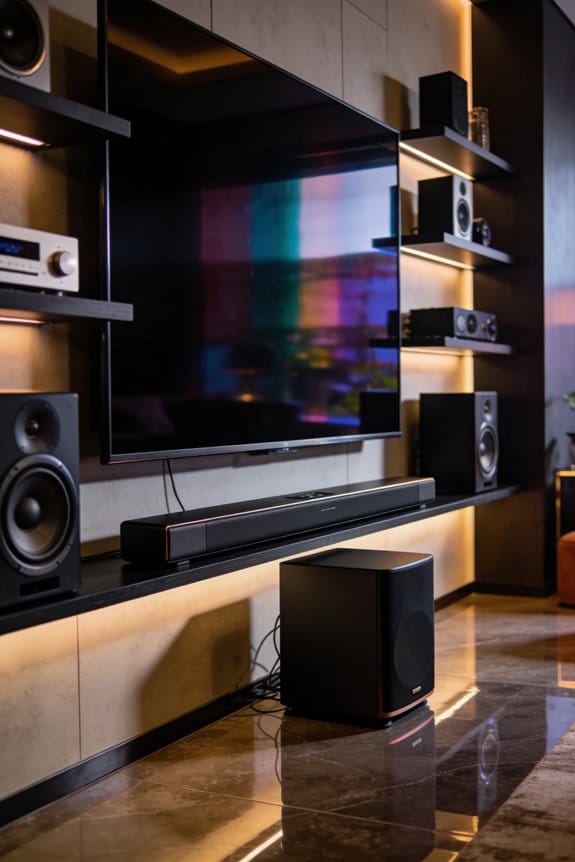

Audio latency in home theaters happens when multiple processing stages delay sound relative to video, and I’ll explain the main culprits. Your AV receiver adds 10-50 milliseconds while decoding formats like Dolby Atmos, Bluetooth speakers introduce 100-200 milliseconds through encoding and transmission, and each A/D or D/A conversion stage contributes 1-3 milliseconds of delay. These delays stack up until they exceed the 32-40 millisecond threshold where lip-sync issues become noticeable to you. Understanding each delay source helps you identify solutions for your specific setup.
Key Takeaways
- Bluetooth audio devices introduce 100-200 milliseconds latency due to encoding, compression, and error correction processes.
- AV receivers add 10-50 milliseconds delay while processing complex audio formats like Dolby Atmos using DSP algorithms.
- Standard Bluetooth codecs like SBC and AAC cause noticeable lip-sync issues exceeding the 32-40 millisecond perception threshold.
- Multiple analog-to-digital and digital-to-analog conversions accumulate 1-3 milliseconds of delay per conversion stage.
- Budget audio equipment typically introduces more latency than higher-end models due to slower processing and lower-quality converters.
How Much Audio Latency Is Acceptable in Home Theater?
When setting up your home theater, you might be wondering: how much audio delay is too much? Latency can be a real downer if sound and video aren’t synced properly, but the good news is, most people won’t even notice delays under 10 milliseconds. That’s usually imperceptible! However, once you hit the 32-40 milliseconds mark, you might start to catch some lip-sync issues, especially while watching movies or TV shows. If things get worse and the delay goes beyond 50 milliseconds, you’ll definitely feel that disconnect between what you see and hear, and it can really ruin the experience.
Now, if you’re using wireless speakers or soundbars, you can tweak your AV receiver’s audio delay settings to help with that. Here’s a quick tip: keep in mind that standard Bluetooth devices can introduce 100-200 milliseconds of latency. That’s a bummer! But if you opt for the aptX Low Latency codec, you can lower that to about 32-40 milliseconds. This is a great way to keep your audio in sync with video content.
Why Bluetooth Speakers Create 100+ Ms of Audio Delay

Have you ever noticed a frustrating lag between the sound and what you see on your TV when using Bluetooth speakers? You’re not alone. It turns out that this delay is pretty common and happens because of how Bluetooth transmits audio.
Here’s the deal: when you send audio to a Bluetooth speaker, your device has to first encode the sound into a format that’s suitable for wireless transmission, like SBC, AAC, or aptX. This involves compressing the audio data, and that takes time, which is where the delay starts. After that, the encoded signal travels to your speaker, where it gets decoded before you actually hear it.
Now, let’s break down the numbers. Using standard SBC codecs, you’re looking at a delay of about 100-200 milliseconds. That’s enough to cause some pretty noticeable audio sync issues, especially when you’re watching TV shows or movies. Plus, because Bluetooth aims to prevent signal distortion, there’s more error correction going on, which can add even more latency to the process.
What about aptX Low Latency? It brings the delay down to around 32-40 milliseconds. While that’s better, you can still notice the lag, especially during dialogue-heavy scenes. So, why’s it important to know all this? Because if you’re serious about your audio experience, understanding these delays can help you make better choices when selecting sound equipment.
How Your AV Receiver’s Processing Adds Latency

Have you ever noticed that your TV shows sometimes feel out of sync? You might blame your Bluetooth speakers for that audio delay, but your AV receiver is sneaky in adding its own processing time to each sound that goes through it.
Every time you play a movie or game, your receiver is busy decoding audio formats like Dolby Atmos and DTS:X, handling room correction, and juggling multiple speaker channels. The delay this causes can differ quite a bit based on the model you have. For budget receivers, you might be looking at 20-50 milliseconds of extra latency, while higher-end models do a better job and keep it down to around 10-15 milliseconds.
Here’s a handy tip: check your receiver settings for delay compensation features. These let you tweak the timing for each speaker individually. Just dive into the audio menu, find “Audio Sync” or “Lip Sync,” and if the sound is arriving a tad too early, you can add a few milliseconds to the video output.
So, why does this matter? Well, when audio formats get complex, the processing time increases. If you’re having sync problems, switching from multi-channel sound to good old stereo can help lower latency, making everything feel more in sync without that annoying delay.
Why A/D and D/A Conversions Multiply Delay in Audio Chains
Have you ever noticed a lag in your home theater audio? You’re not alone. It’s not just your receiver adding delay; every time your system switches signals from analog to digital and back again, you’re piling on processing delays.
When A/D processing kicks in—like when you use a microphone or turntable—it converts those signals into digital data. This transformation isn’t instantaneous; it takes around 1-3 milliseconds per stage. On the flip side, D/A processing sends the signal back to analog for your speakers, racking up another 1-3 milliseconds.
Compound that with multiple conversions, and you could be looking at a noticeable amount of lag before the sound actually reaches your ears. If your setup includes a soundbar that takes in optical audio and converts it to analog for wireless speakers, those delays can stack up fast. And let’s be real: lower-quality converters in budget gear can slow things down even more compared to those high-end interfaces that do their best to minimize these delays, but never quite eliminate them.
So, why does this matter? Understanding where these delays come from can help you make smarter choices in your audio setup. If you want to keep things crisp and clear, investing in quality converters can make a notable difference.
Where Audio Latency Happens in Your Home Theater Setup
When you’re trying to figure out why there’s a lag in your home theater audio, it’s important to know where those pesky delays are sneaking in. First off, your AV receiver plays a big role. It’s here that DSP algorithms work their magic for room correction and equalization, but this can add anywhere from 10 to 50 milliseconds of latency, depending on your setup.
Then there’s wireless transmission. If you’re using Bluetooth soundbars or speakers, brace yourself for a delay of 100 to 200 milliseconds with standard SBC codecs. The good news? If you switch to aptX Low Latency, you can bring that down to a more manageable 32 to 40 milliseconds. So, why does this matter? The more delay you have, the worse your audio experience will be, especially if it’s out of sync with your video.
Buffering delays also creep into the mix at various points. Your source device likely has an output buffer that adds some lag, and then there’s the HDMI processing as different components communicate. Don’t forget about your speakers too; they have their own internal conversion that can contribute to the overall delay.
Let’s not overlook the little components. Things like optical-to-analog converters, HDMI switches, and even gaming consoles can contribute incremental delays. Here’s the trick: the quality of your equipment really does make a difference. Budget receivers tend to process audio slower than higher-end models that have dedicated chipsets. If you’re serious about sound, consider investing in better gear.
Frequently Asked Questions
Can High-Quality HDMI Cables Reduce Audio Latency in Home Theaters?
No, I can’t reduce audio latency with high-quality HDMI cables. Cable quality only affects signal interference and transmission reliability. Latency comes from processing delays in your components, not the cable itself, which transmits signals near-instantly.
Does Room Size Affect Perceived Audio Delay During Movie Watching?
Yes, room size affects perceived delay through room acoustics and listener location. I’ll notice sound reaching me later if I’m farther from speakers, since audio travels about one foot per millisecond, creating noticeable timing differences in larger spaces.
Will Upgrading My TV Reduce Lip-Sync Issues With External Speakers?
I’d say upgrading your TV won’t directly fix lip-sync issues—the delay stems from your external speakers’ processing, not TV specifications. However, newer models offer better soundbar compatibility with features like eARC that minimize latency between devices.
Can Software Updates Fix Wireless Audio Latency in Existing Devices?
Software updates can improve wireless audio latency somewhat through codec optimizations and better buffering algorithms, but they can’t overcome fundamental wireless technology limitations. I’d recommend checking if your devices support aptX Low Latency via firmware updates for noticeable software improvements.
Does Audio Format Choice Like Dolby Versus DTS Impact Delay?
Ever notice sync issues with certain soundtracks? Yes, audio formats affect delay—Dolby and DTS differ in codec efficiency and processing demands. I’ve found DTS typically introduces slightly more latency due to higher bitrates requiring additional decoding time.