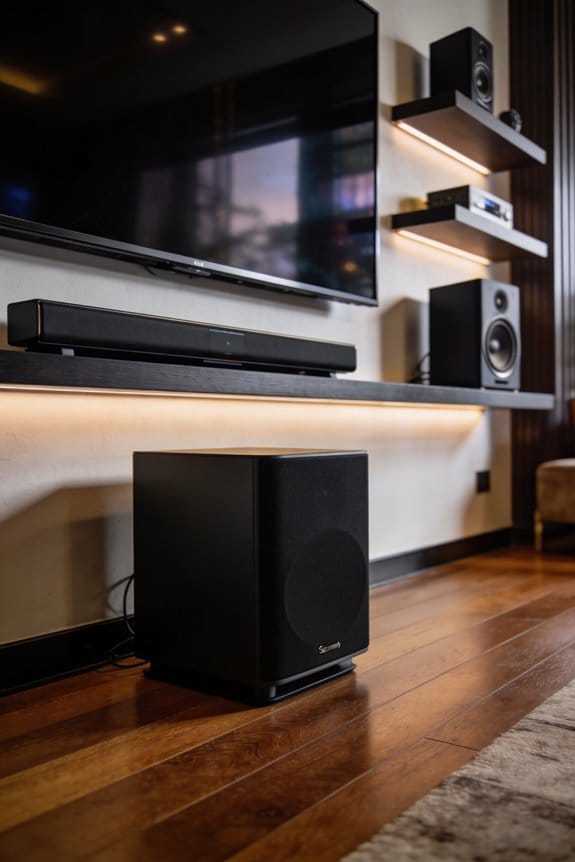

I recommend activating midnight mode for gaming sessions after 10 PM in shared spaces, especially when playing story-driven games, stealth titles, or horror games where you need to hear subtle environmental cues without disturbing others. This dynamic range compression setting balances loud explosions with quiet dialogue by reducing volume peaks and boosting softer sounds, eliminating the need for constant manual adjustments. You’ll find this feature in your receiver’s audio settings under Dynamic Range Compression or DRC, though I suggest disabling it during daytime play and competitive multiplayer where uncompressed spatial audio provides critical advantages that compression diminishes.
Key Takeaways
- Midnight Mode compresses audio dynamics, balancing loud explosions with quiet dialogue for comfortable late-night gaming without disturbing others.
- Best activated after 10 PM in shared spaces for story-driven, stealth, horror, and puzzle games requiring dialogue clarity.
- Access via receiver Audio Settings (Denon/Marantz/Onkyo), PlayStation Sound menus, or in-game audio options depending on your setup.
- Disable during daytime play to restore full dynamic range and audio immersion that compression diminishes.
- Combine with center channel boost or dialogue enhancement for optimal voice clarity while maintaining reduced volume peaks.
What Midnight Mode Actually Does to Game Audio
Ever tried gaming late at night and found yourself jumping at every loud explosion? It can be a real hassle to balance the sound without waking the whole house. That’s where midnight mode on your gaming setup can come in handy.
When you turn on midnight mode, it compresses the dynamic range. This means it lowers the volume of those huge sound effects, like blasts or gunfire, while bringing up the quieter sounds, like dialogue and the subtle creaks of your environment. You won’t have to keep adjusting the volume to catch every word or detail.
The best part is you can enjoy those low bass sounds even when you’re at a lower volume, so the neighbors won’t be complaining. Plus, the clarity of direction from the surround sound channels stays intact, which is crucial for immersive gameplay.
So, why does all of this matter? Simply put, it helps you keep the audio balanced without any jarring loud spikes. This is especially important with games where the audio levels vary wildly. You’ll appreciate a smooth experience that won’t disrupt anyone else in your home.
If you’re looking for a more enjoyable late-night gaming session, try using midnight mode. It could make a world of difference in your gaming experience. Isn’t it great to have a way to keep the peace while still enjoying your favorite games?
When Should You Turn On Midnight Mode for Gaming?
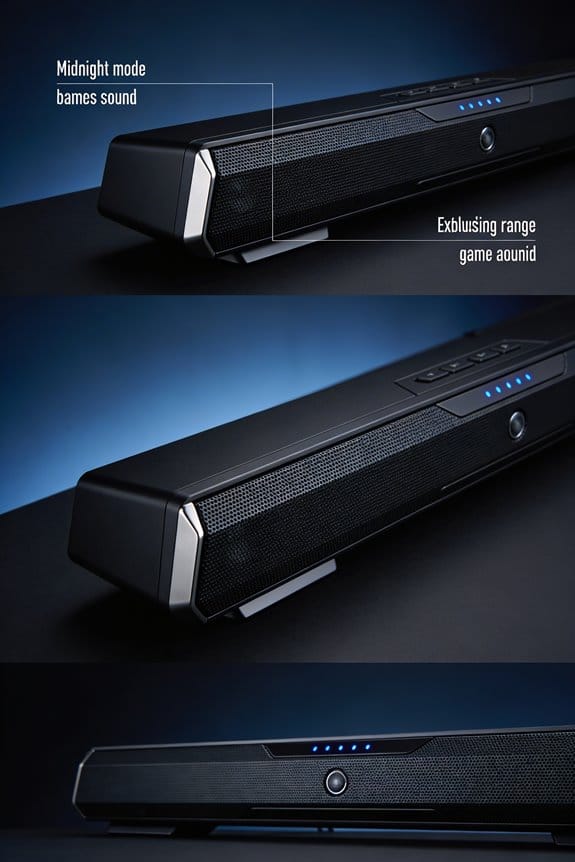
When’s the right time to hit that midnight mode while gaming? If you’re gaming after 10 PM, especially in a shared space where walls are thin or people are trying to sleep, it’s worth considering.
Think about those games that jump from heart-pounding action to soft whispers. It can be really tough to manage the volume without blasting your neighbors out of their beds. That’s when midnight mode comes in handy. If you’re trying to keep your receiver volume below -30 dB but still want to catch every footstep and quiet dialogue, this feature is a lifesaver.
Midnight mode helps you enjoy sound clarity without disturbing anyone else. It’s particularly useful for story-heavy games, competitive shooters where sound makes a huge difference, and cinematic experiences that have a lot of ups and downs in volume.
So, why does this matter? It can really enhance your experience without turning your late-night gaming into a noise complaint for everyone else in the house. When you turn on that midnight mode, you can focus on your game without worrying about waking anyone up.
Where to Find Midnight Mode on Your Gaming Setup
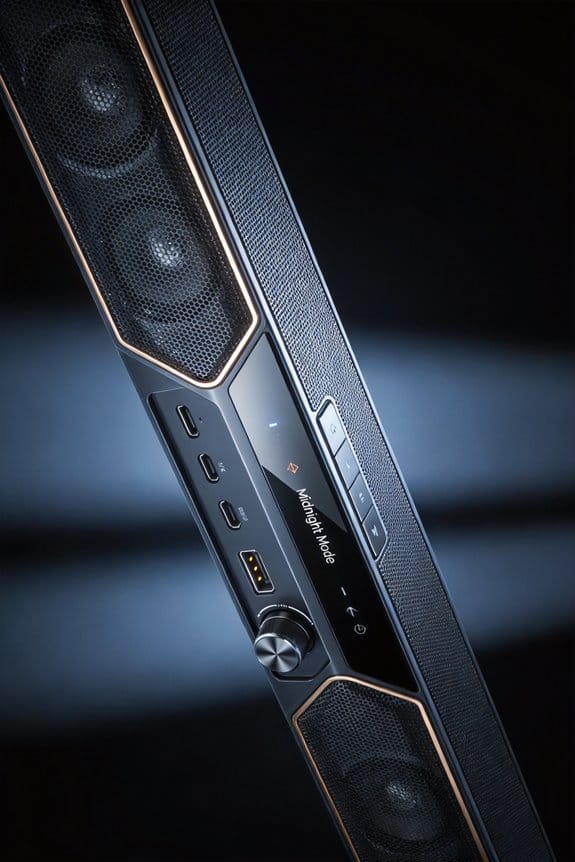
Finding midnight mode settings can be a little tricky, especially since it varies depending on what gear you’re using—like your AV receiver, gaming console, or even game-specific audio options. If you want to enjoy late-night gaming without waking up the whole neighborhood, you’ll need to dig into your setup a bit.
For those with Denon or Marantz receivers, here’s how to get to that sweet, sweet Midnight Mode: head into your Audio Settings, look for Dynamic Range Compression, and then choose the Midnight or Late Night option. It really is that simple. Onkyo receivers take a slightly different route—just go to Audio Adjust, then DRC settings.
Now, when it comes to gaming consoles, the process isn’t always the same. PlayStation users, for example, can find audio output settings nestled in the Sound and Screen menus, where you’ll be able to tweak dynamic range options. Curious about settings within games? Consider titles like Uncharted 2. You can find built-in compression features directly in their audio settings menu.
Some games might label this setting differently—look out for options like “Night Mode,” “Dynamic Range,” or “Audio Compression.” Before diving deep into your game or receiver, check your receiver’s on-screen display first. It’s usually the best way to ensure consistent compression across all your gaming sources.
How Midnight Mode Keeps Dialogue Clear at Low Volume
Many gamers face the frustrating challenge of not being able to hear character voices during those quiet, late-night gaming sessions. Ever noticed how important dialogue can just fade away amidst explosions and sound effects? Midnight mode might be your answer. This handy feature helps by compressing the loud and soft sounds, so you can actually hear what characters are saying without cranking up the volume.
Here’s how it works: the mode automatically lowers the sounds of explosions while giving a boost to speech levels. This adjustment ensures that the dialogue stands out even when you’re playing on lower volume settings. You won’t miss out on the whispered conversations that often slip away into the background noise.
What’s really great is that midnight mode keeps the audio balanced. Instead of making everything louder, it focuses on keeping character voices clear. So, if you activate this feature on receivers like Denon or Marantz, the processor kicks in and makes some smart adjustments. Specifically, it emphasizes the frequencies that make speech easier to understand.
You can expect this to preserve crucial details during cutscenes, radio chats, and when characters are interacting with you. On top of that, it prevents intense action sequences from blasting your speakers out. So, why not give it a shot? If you’ve been struggling to hear those vital story moments, this might just be what you need to enhance your gaming experience without disturbing the peace of the night.
In short, if you’re tired of missing out on important dialogue during your late-night gaming, midnight mode might be the simple fix you’ve been looking for. Ready to try it out?
Which Game Genres Work Best With Midnight Mode
Have you ever found yourself totally immersed in a story-driven game, only to be distracted by loud sounds at night? That’s where midnight mode shines. It’s a fantastic feature for games that revolve around dialogue and character interactions, helping you catch all those critical narrative details. If you enjoy stealth games like Metal Gear Solid, you know how crucial it is to hear enemy footsteps and subtle environmental sounds, right? Midnight mode makes those low-volume cues much easier to detect, which can make or break your gameplay.
Let’s not forget about horror titles. These games thrive on atmosphere, so every whisper and creepy sound adds to the tension. Midnight mode amplifies those chilling audio details without cranking up the overall volume, creating a perfect environment for a good scare. And it doesn’t stop there! Narrative-driven adventures, puzzle games packed with instructions, and simulation games with important dialogue also benefit from this setting.
Now, when it comes to multiplayer shooters, the story changes a bit. Competitive players often rely on precise audio for things like enemy location or gunshots. Too much compression can muddy those details, so midnight mode may not be your best bet here. In single-player experiences, though, where you want to feel immersed in the story, that’s when midnight mode really shines.
Why Action Games Sound Better With Midnight Mode
Picture this: you’re deep into an action game like Call of Duty or Battlefield at midnight. The adrenaline‘s pumping, but then suddenly, an explosion rocks your living room. It’s a blast—literally and figuratively—but your partner’s giving you the side-eye, and the kids are trying to sleep. So how do you enjoy the thrill without creating chaos? Midnight mode is your answer.
Here’s the trick: this mode helps balance those loud, explosive moments with the quieter parts of gameplay. Instead of going deafening during gunfire and then suddenly quiet during dialogue, everything gets adjusted to a more manageable level. You can still pick up those crucial enemy footsteps without blowing out your eardrums when a grenade goes off.
What do you gain from this? Well, aside from keeping peace at home, you won’t miss small audio details that add depth to the game. Character whispers, environmental sounds, and subtle effects become more noticeable, even when you’ve got the volume turned down. It helps create a smoother audio experience throughout your gaming session.
Plus, this means no more constant fiddling with the remote because you’re trying to catch a quiet moment but then get blasted by an explosion. You set it and forget it, so you can focus on the gameplay instead—just perfect for those late-night matches.
To wrap it up, midnight mode can really enhance your nighttime gaming experience. So, next time you’re planning to dive into an action game, consider turning it on. How do you keep the peace while still enjoying the game?
Midnight Mode vs. Audyssey Dynamic Volume for Gaming
If you’re trying to decide between midnight mode and Audyssey Dynamic Volume for your gaming setup, you’ve probably noticed that both options compress dynamic range. But they do it in very different ways, and that can impact your gaming experience.
Midnight mode offers a fixed level of compression across all audio frequencies. That means it’s consistent, which can be pretty helpful during long gaming sessions. On the flip side, Audyssey Dynamic Volume dynamically adjusts the audio compression based on what you’re hearing at that moment. This means its effectiveness can vary depending on the game’s content and the complexity of the scene. So, if you’re deep in an intense battle, you might notice some changes that could throw off your focus.
There are some real benefits to using midnight mode. For one, it works with a broader range of audio formats, including non-Dolby sources. Plus, it’s easier to set up since there are no complicated real-time processing delays. In contrast, Audyssey needs to be calibrated with a microphone and continuously processes your audio. This can introduce a bit of latency, which isn’t ideal for competitive gaming—especially when timing is everything.
So, what should you choose? If you prefer something straightforward and reliable that won’t interfere with your gameplay, midnight mode might just be the way to go.
In the end, think about what’s most important for your gaming experience. Do you need consistency, or is real-time adjustment worth the potential drawbacks?
When to Turn Off Midnight Mode to Preserve Audio Design
Do you ever feel like your gaming audio just isn’t living up to the hype? Midnight mode can be a lifesaver for those late-night sessions, but it might not be doing your sound experience any favors when you’re ready to dive into a game during the day.
When the sun’s up, it’s time to switch off that midnight mode. Compression can mess with the dynamic range that sound engineers work hard to create. This means you could miss out on the thrilling details in an explosion, the subtle background sounds that immerse you in the environment, or the dramatic shifts in a musical score. Honestly, you’ll hear so much more clarity when you let those dynamics play out naturally.
To get back to that full range sound, find your receiver’s audio settings and select “Off” or “Standard” mode. This simple change helps restore soundstage depth and maintain those important directional cues and tonal separations that compression tends to flatten out. You want all the layers of sound to shine through, right?
Consider turning off midnight mode especially in single-player games where you want that true sense of immersion, or in competitive multiplayer scenarios where pinpoint audio accuracy can make all the difference. And if you’re diving into games with orchestral soundtracks, you’ll definitely appreciate those intentional quiet-to-loud transitions that are meant to create a powerful experience.
Why Your Midnight Mode Sounds Muffled (And How to Fix It)
Ever wonder why your midnight mode sounds so flat and muffled? You’re not alone. This is a common frustration for many when trying to enjoy their favorite games or movies late at night. The culprit behind the muddled audio is that heavy compression used in midnight mode. While it’s designed to reduce dynamic range, it often takes away the clarity and punch from the sound.
So, what’s causing that muffled sound? The compression algorithm cuts down on frequency peaks, messing with treble, mid-range details, and even bass impact all at once. You might notice that dialogue and effects just blend together without any real distinction. It’s frustrating when you can’t catch those important audio cues in your game.
You can get that audio clarity back with a few adjustments in your receiver settings. Here are some steps to try:
- Lower the compression level from Maximum to Medium in your Audio Settings.
- Turn off Dynamic EQ while using midnight mode to avoid double processing.
- Boost the treble by 2-3dB in your equalizer to bring back those high frequencies.
- Set the midnight mode intensity to around 50%, rather than cranking it all the way up.
It might take some tinkering, but play around with these settings until you find that sweet spot. You deserve to experience every nuance and detail in your audio.
Optimizing Midnight Mode With Dialogue Enhancement Settings
When you’re gaming late at night, dealing with loud explosions and soft dialogue can be a real headache. How often have you struggled to hear the characters over the background noise? If you combine midnight mode with dialogue enhancement, you can create an audio experience that keeps voice clarity intact while keeping the overall volume at a comfortable level.
Midnight Mode Pros are pretty noticeable. You’ll get reduced volume peaks and those quieter sounds become much clearer. But when you add dialogue enhancement into the mix, voices get even more prominence. To make it work, dive into your receiver’s audio menu and make sure both features are on. You’ll usually find them under “Audio Settings” or “Sound Options” on Denon and Marantz receivers.
One trick to improve Dialogue Clarity is to activate the center channel boost alongside midnight mode. This can bump voice levels by 3-6 dB without messing with the compression you’re aiming for. Start with dialogue enhancement set to a medium level, and then tweak it according to the audio mix of your game and your room’s acoustics.
Here’s a test you can do: Play some cutscenes that feature both dialogue and background music. This way, you can really verify that the output feels balanced and that you’re not missing out on important lines while still enjoying the game atmosphere.
In the end, it’s all about finding that sweet spot in audio settings for late-night gaming. So, how do you usually handle game audio at night?
Frequently Asked Questions
Does Midnight Mode Work With Headphones or Only External Speakers?
I’ll confirm that midnight mode works with both headphones and external speakers. The audio enhancements apply universally to your receiver’s output, so you’ll experience the same dynamic range compression regardless of your listening method. Headphone compatibility isn’t limited.
Can Midnight Mode Reduce Audio Quality or Bitrate During Gameplay?
Midnight mode doesn’t reduce bitrate, but I’ll note it can affect audio fidelity impacts by compressing dynamics, potentially flattening nuanced sounds. However, gameplay immersion effects often improve at low volumes since you’ll hear dialogue and subtle details clearly.
Will Midnight Mode Drain More Battery on Wireless Gaming Headsets?
Like Cinderella’s magic fading at midnight, you might worry about power drain—but I’ve got good news. Midnight mode won’t considerably impact battery consumption or wireless efficiency since it’s just software processing, not transmitting extra data.
Does Enabling Midnight Mode Increase Input Lag or Audio Delay?
No, I don’t see midnight mode causing audio latency effects or gaming performance impact. It’s just real-time audio processing that compresses dynamics without adding delay—your headset handles it instantly, maintaining perfect sync with gameplay.
Can I Use Midnight Mode With Dolby Atmos Spatial Audio?
Yes, you can! Think of midnight mode as a gentle blanket over Atmos’s thunderous peaks. I’ll maintain your spatial audio benefits and game audio enhancement—just compressing dynamics so explosions won’t wake anyone while preserving directional immersion.